
Family Tree
The family tree feature lets you visually display and manage family relationships.
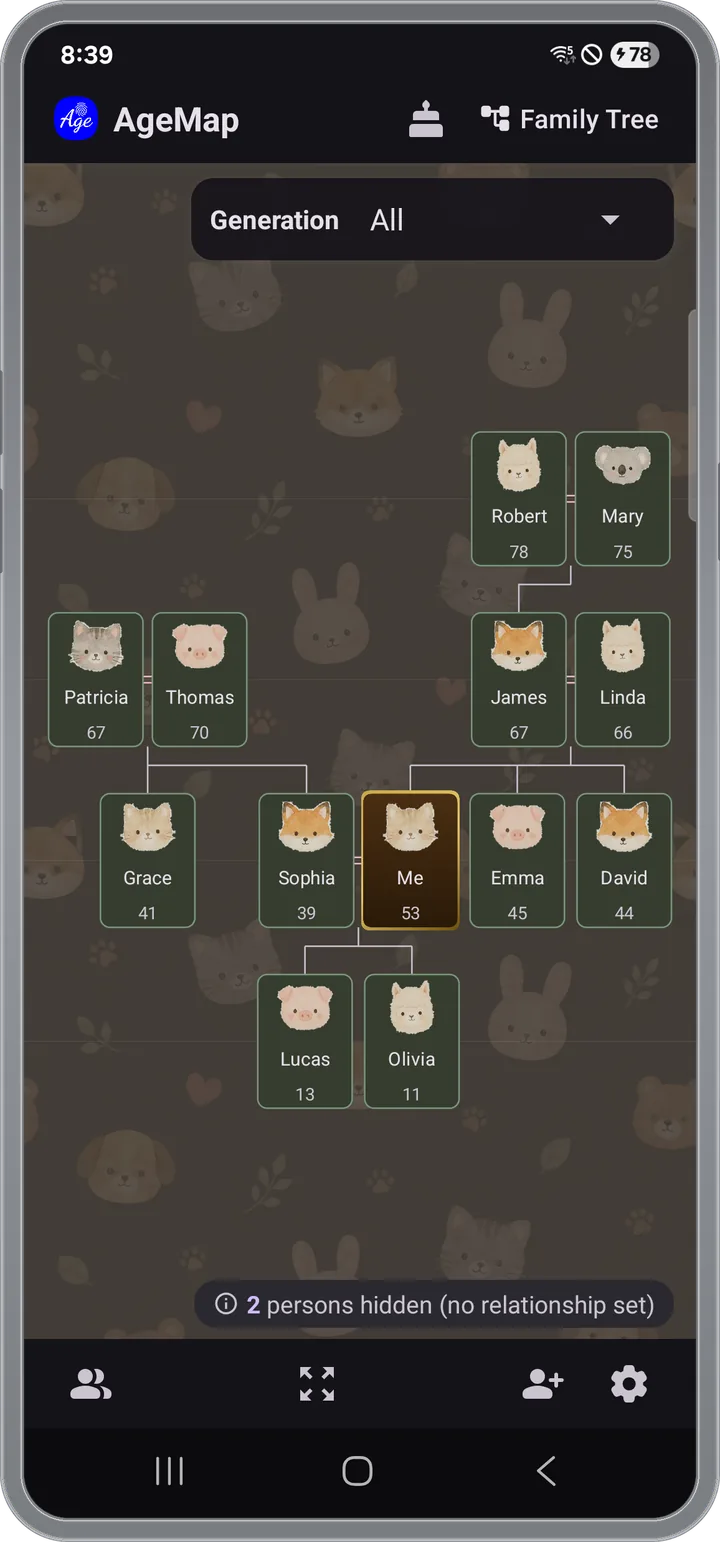
Viewing the Family Tree
Tap the family tree toggle button at the top of the main screen to switch from the By Age view to the family tree view.
- Automatically grouped by generation (Grandparents → Parents → Self → Children → Grandchildren)
- Relationship lines are drawn automatically.
Relationship Types
You can add relationships from a person's detail screen.
- Parent-Child — Parent and child relationship
- Spouse — Current or former spouse
- Sibling — Brother/sister relationship
- Romantic — Romantic partner
Setting Up Relationships
- Tap a person on AgeMap to open their details.
- Tap the relationship edit button.
- Select the relationship type and choose the related person.
- Save — the family tree will update automatically.
Editing/Deleting Relationships
- Tap an existing relationship in the person detail screen to change the type or delete it.
- Spouse relationships can be changed between current and former status.