

AgeMap
See family, friends and colleagues laid out by age on a single screen, with a family tree, birthday reminders and gift records in one place. Step-by-step instructions are in the Help.


- No sign-up
- Android 8.0 or later
- English · Korean
- Lunar birthdays
Age map
"Wait, how old are they now?"
stops happening
Your contacts app stores names and phone numbers, not the things you actually want to know. AgeMap places everyone on one screen by age — oldest at the top, youngest at the bottom.
- Pinch to change how many people fit, drag to pan
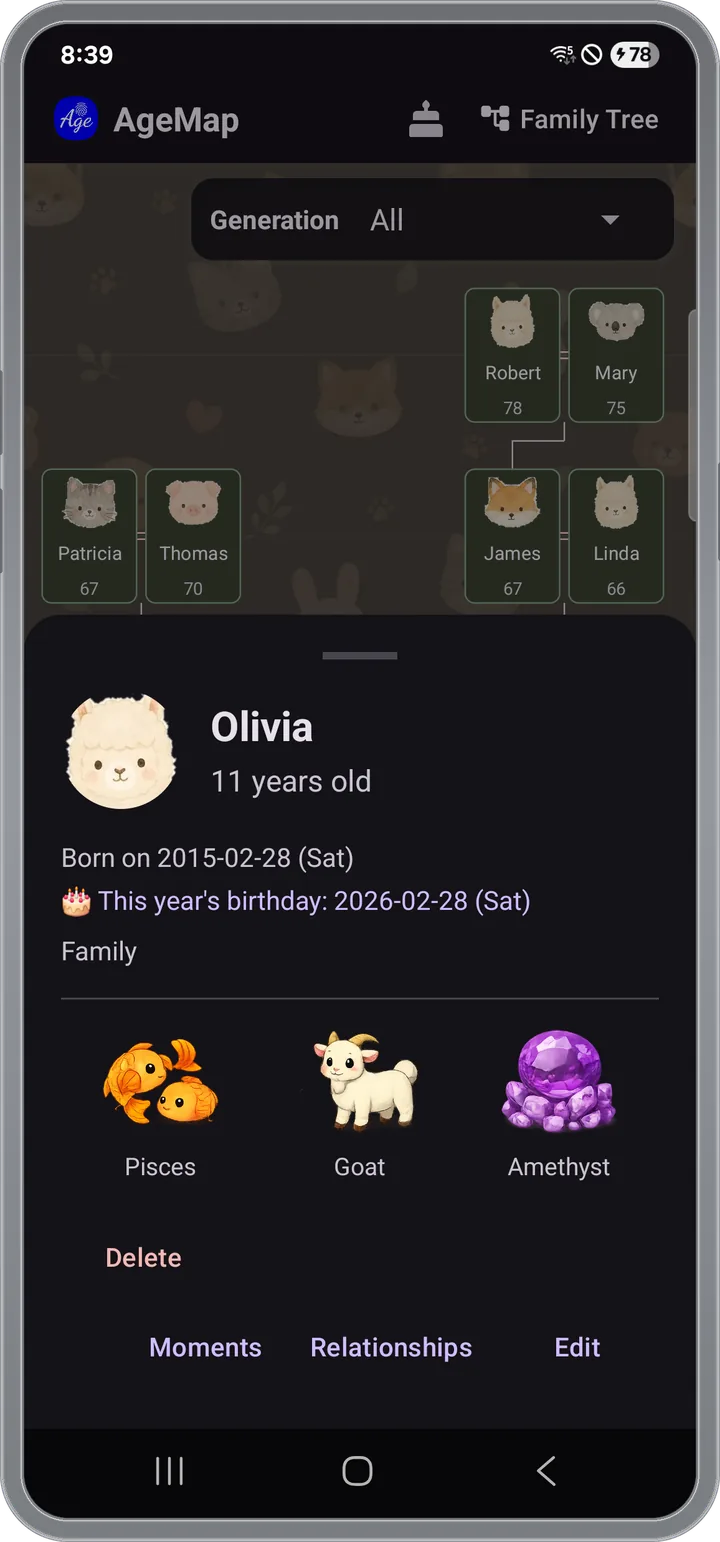
- Tap a card and the details slide up from the bottom
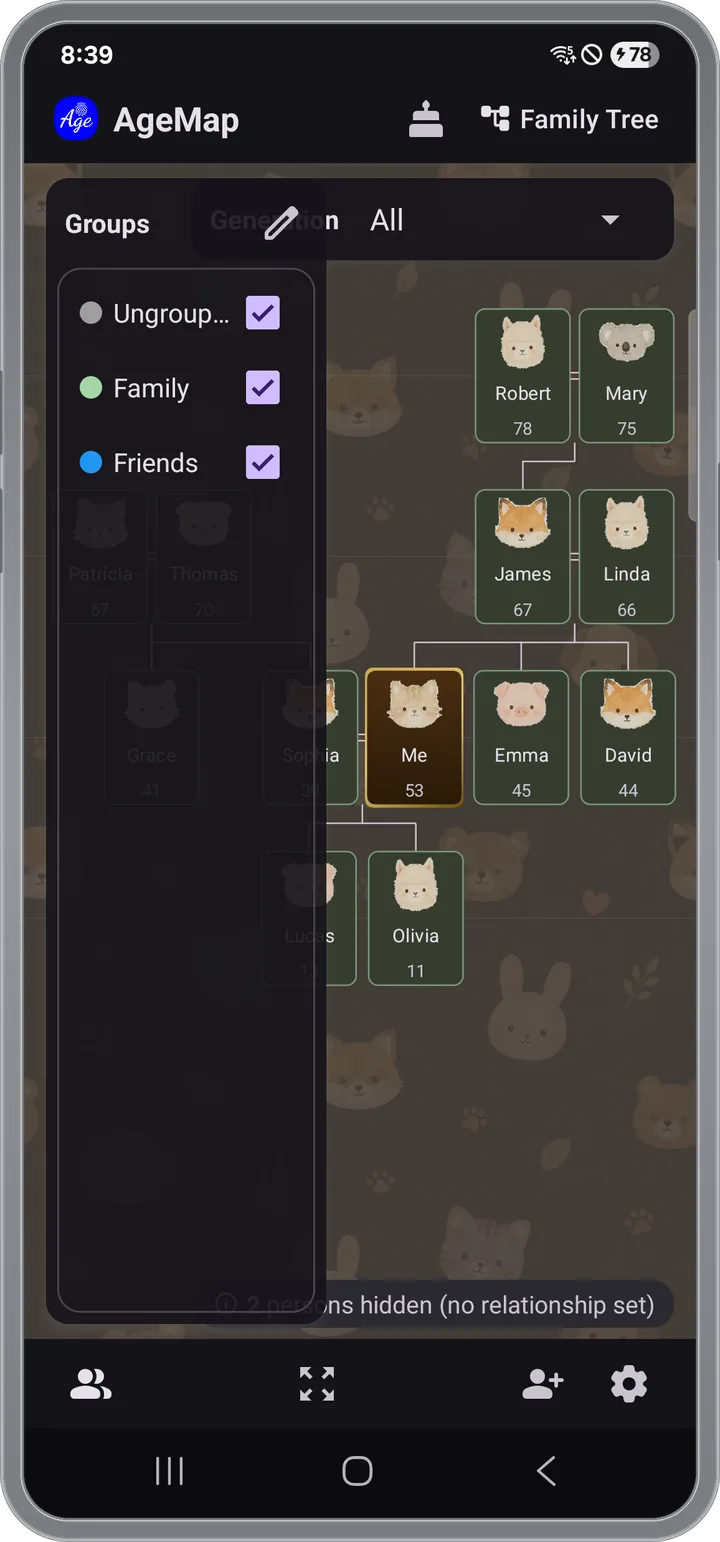
- Group colors and a group filter for family, friends, work
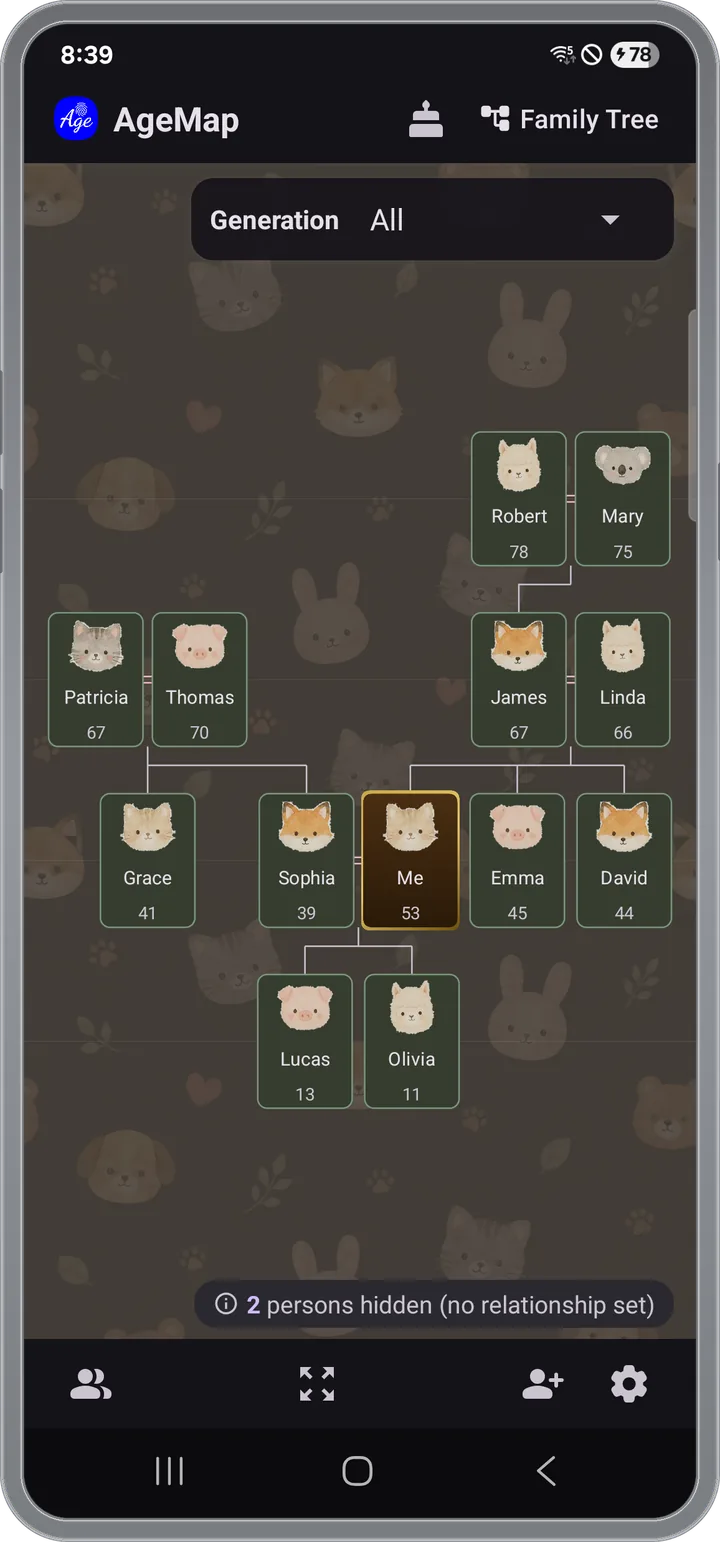
Family tree
Set the relationships,
the tree draws itself
Grandparents → Parents → Self → Children → Grandchildren stack top to bottom, and the connecting lines are drawn automatically. One tap at the top switches between the age map and the tree.
- Parent–child, siblings, romantic partners
- Spouse — current and former spouses tracked separately
- Set the relationship once from the detail screen
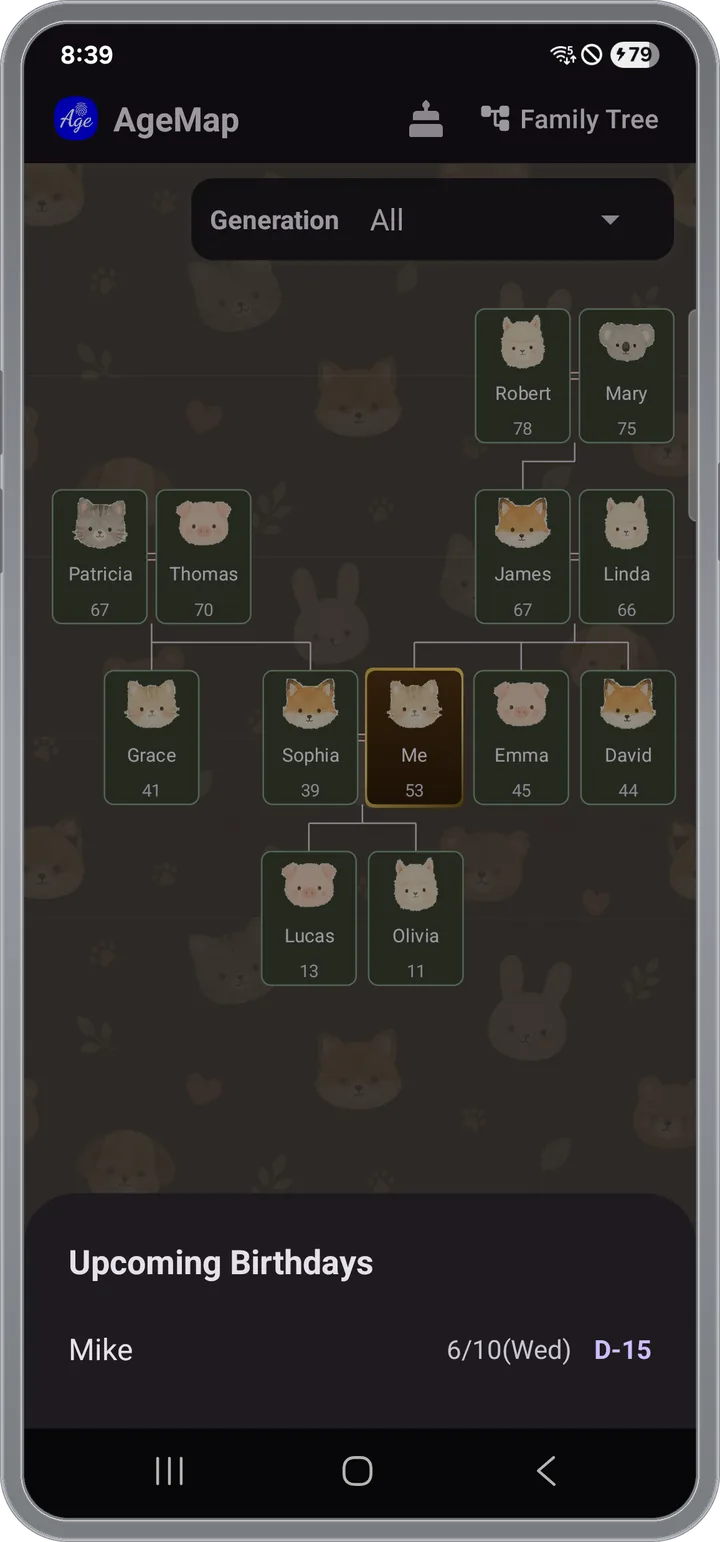
Birthday reminders
Never miss
the birthdays that matter
Push notifications arrive at the time you set, in four steps so you get exactly the heads-up you need. Turn on all four or only the ones you want.
- D-30 gift · D-7 plans · D-1 greeting · D-day
- Arrives at the set time even when the app is closed
- Lunar birthdays are converted to solar so they fire on the right day
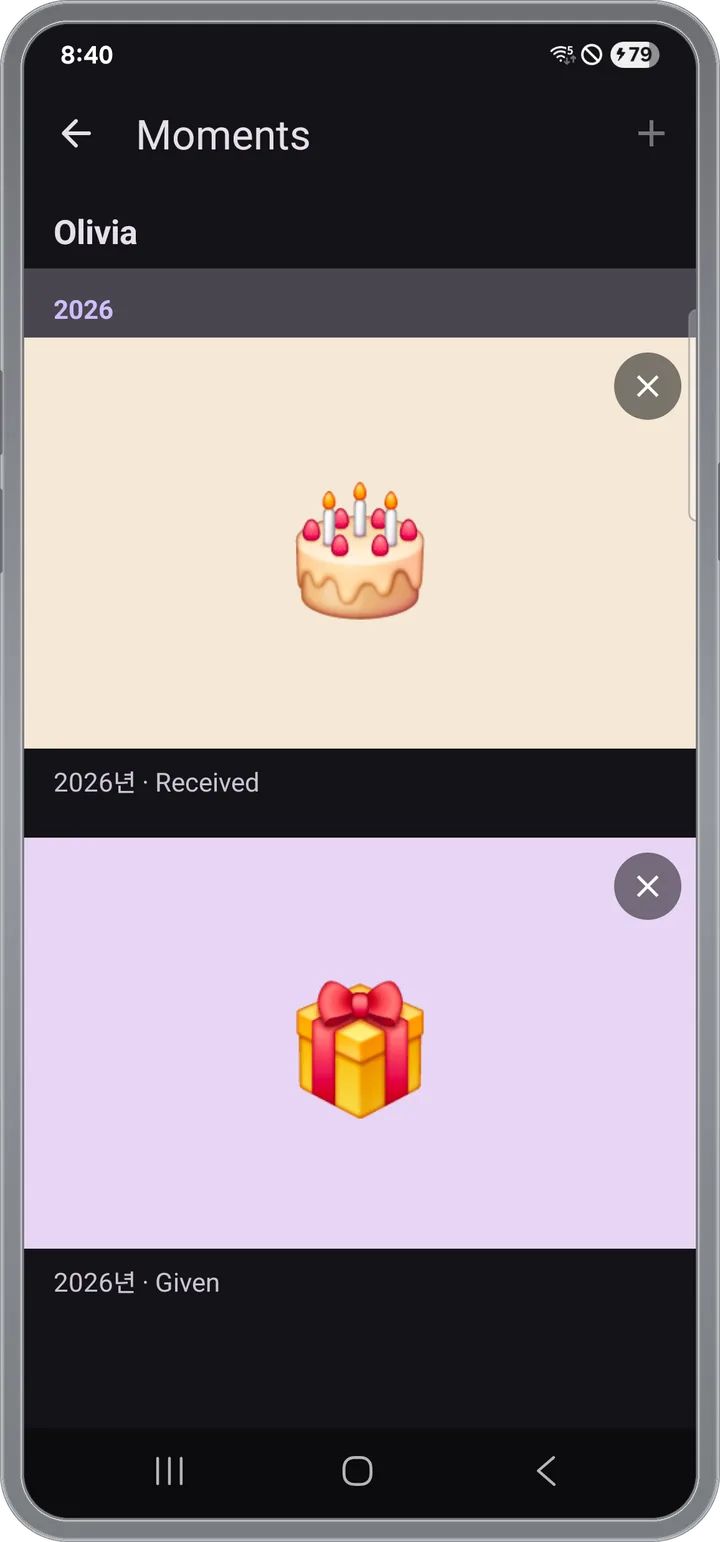
Moments
"What did I give them
last year?"
Jot it down in the Moments section on the person's detail screen and it stacks up neatly, year by year.
- Given vs. received, tracked separately
- 🎁 Gift · 💰 Cash · ❤️ Heart · 🎂 Cake · 💌 Letter icons and photo attachments
- Shared memories with that person on a timeline
Person details
Age is just
the start
The person detail screen also surfaces the things you naturally want to know next.
- Precise age — "44 years, 3 months, 17 days", plus a countdown to the next birthday
- Zodiac sign · Birthstone · Oriental zodiac — from the date of birth
- "Me" marker — appear in every group as a reference point
See all features Groups · Backup & restore · Controls · Why
Groups
- Family, Friends, Work, Hobby — any group with a color; cards on the map show in that color
- Multiple memberships — one person in several groups at once
- Group filter — right-panel checkboxes to show only the groups you want
- Preset group templates, and drag groups you check often to the top
Backup & restore
- People, groups, relationships, profile photos, moments and notification settings in one ZIP
- The filename is auto-generated as agemap_backup_DATE.zip
- Move to a new device — back up → send via Google Drive or email → restore
- Keep the backup in Google Drive or email and you're covered against device loss
Controls and input
- Pinch, drag, tap; one tap at the top switches to family tree mode
- Lunar birthday switch converts to solar; reminders still fire on the correct solar date
Why AgeMap
- No more doing the math — how old is your niece now, how many years until your parents turn 60?
- Family and relative connections stop blurring in your head
- Birthdays you care about stop slipping past
- You remember which gifts you've already given
Privacy
- No account, no sign-in. Open the app and you're in
- Your data stays on your device — no automatic cloud uploads; backup files go wherever you choose
- Birthday reminders need notification permission (Android 13+ asks after install)
Backup · Move
- Everything in one ZIP
- Move to a new device in one shot
- Offline-first — everything lives on your device
App information
- Android, iOS — Android 8.0 or later
- English / Korean — auto by device settings
- Instructions in the Help
Everyone's age, on one screen
No sign-up — open the app and you're in.
Android 8.0 or later · iOS · English / Korean