
Weather Satellite Taiwan
Satellite, radar, temperature and rainfall maps from Taiwan's Central Weather Administration (CWA), each played as a time-lapse. Known on the device as 天氣衛星圖 / Weather Satellite.


- No sign-up
- No location permission
- English · Traditional Chinese
- Dark mode
One screen
Eighteen scattered feeds,
one menu grid
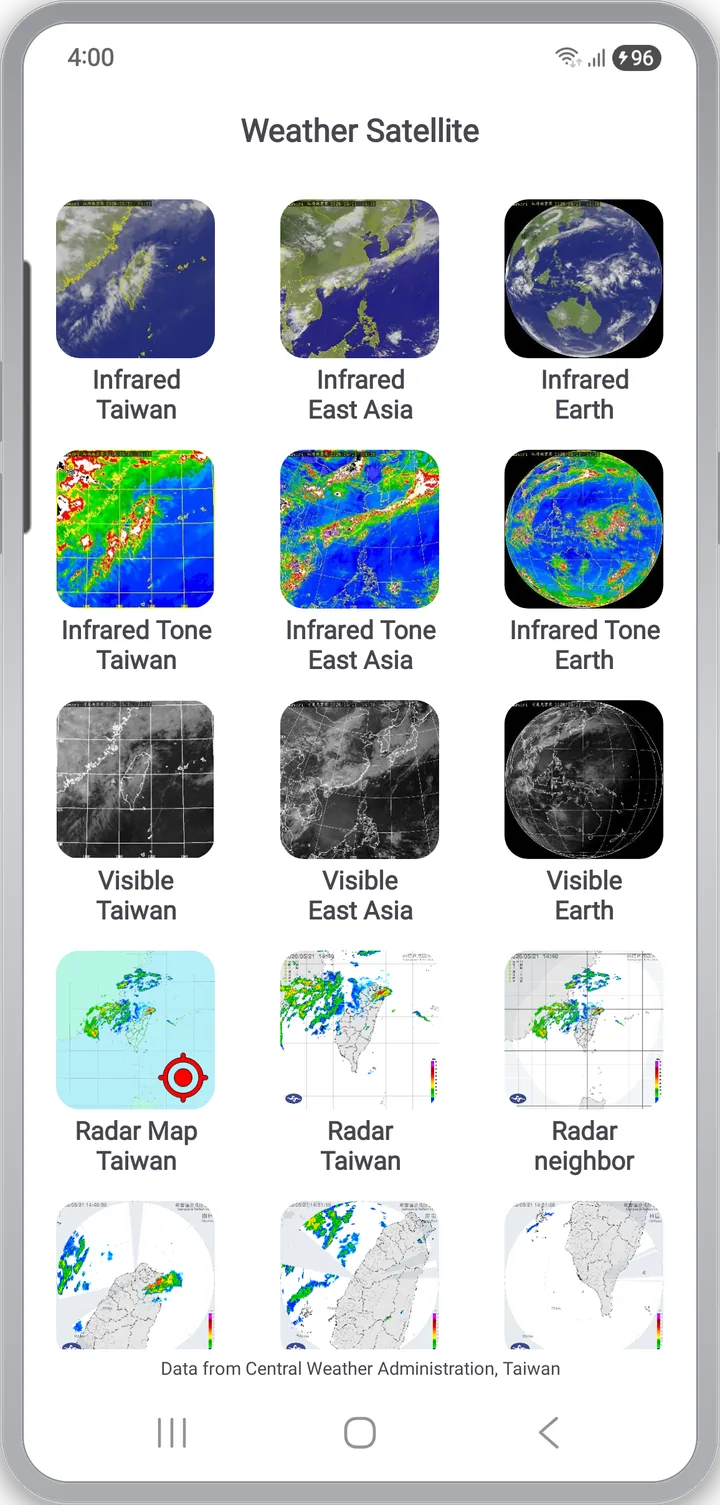
CWA publishes Taiwan's imagery across separate pages, so comparing the same time slice means hopping between them. Weather Satellite Taiwan groups everything onto one menu.
- Each tile shows the latest thumbnail (cached about five minutes) — a read on the sky as soon as it opens
- Every feed downloads its most recent 15 frames and plays them at about 300 ms each
- Not a single still — where the clouds and rain come from and where they go
Satellite
Infrared, Infrared Tone, Visible
at three ranges
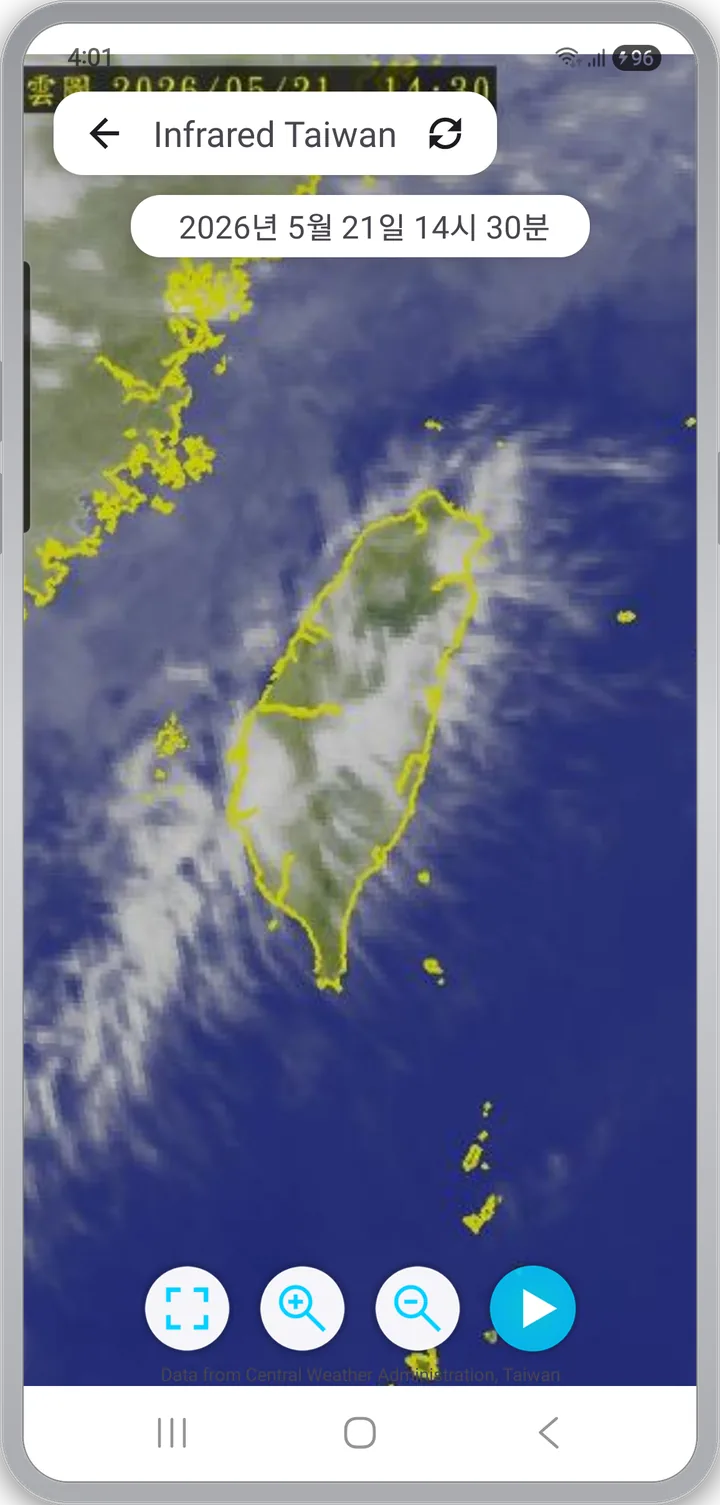
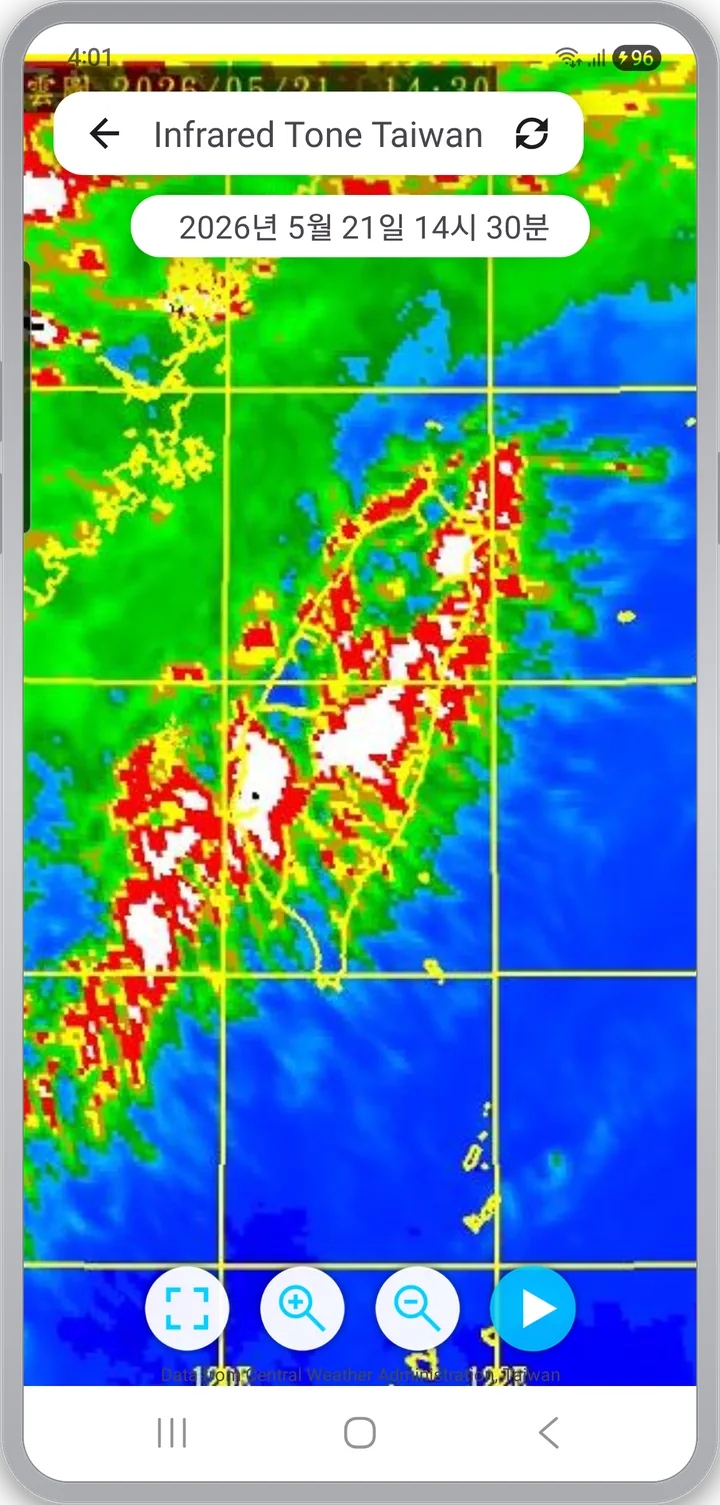
Three satellite channels, each at Taiwan / East Asia / Earth coverage. Every feed opens in a fullscreen viewer with the publish timestamp shown at the top.
- Infrared — cloud-top temperature in grayscale, works at night
- Infrared Tone — the coldest, most convective cloud tops in red and magenta
- Visible — daytime imagery close to natural color (dark at night)
Radar
Is it raining
where I am?
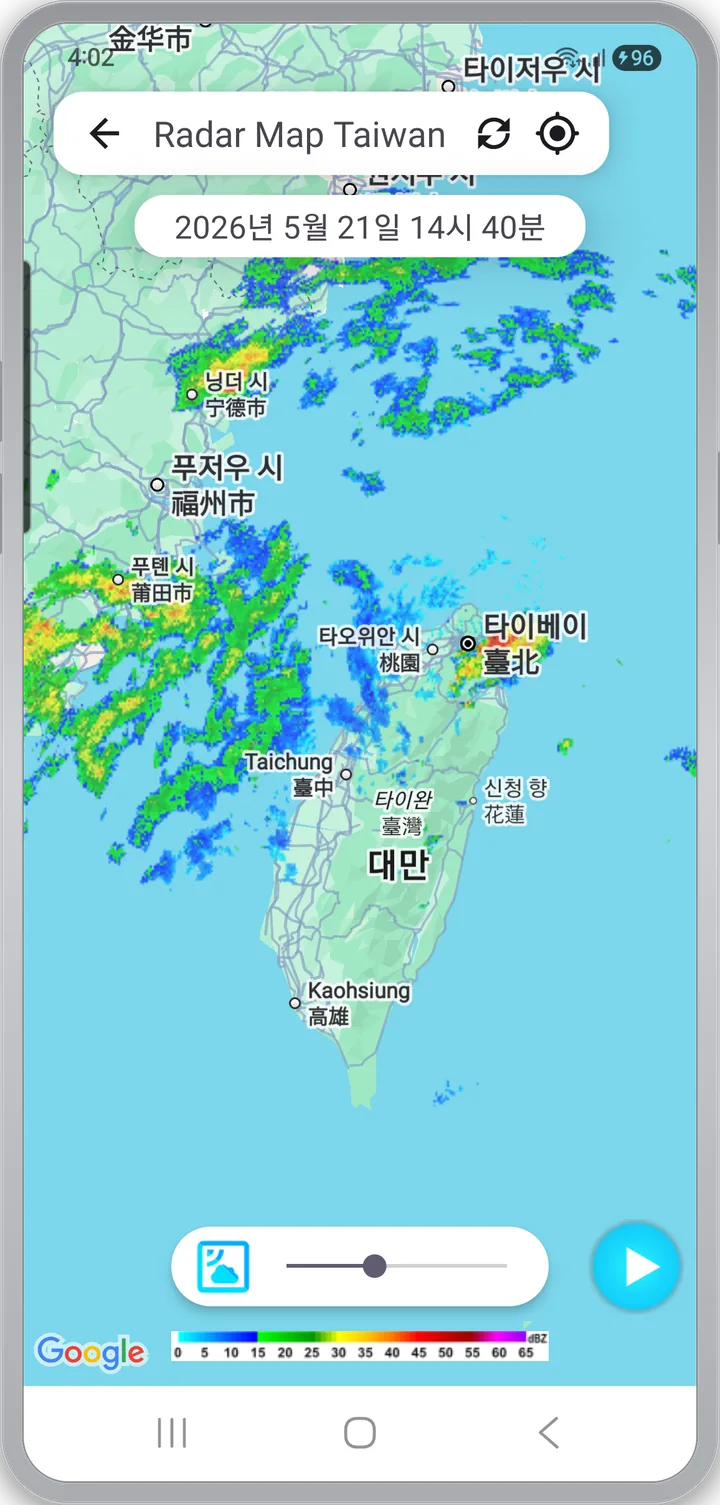
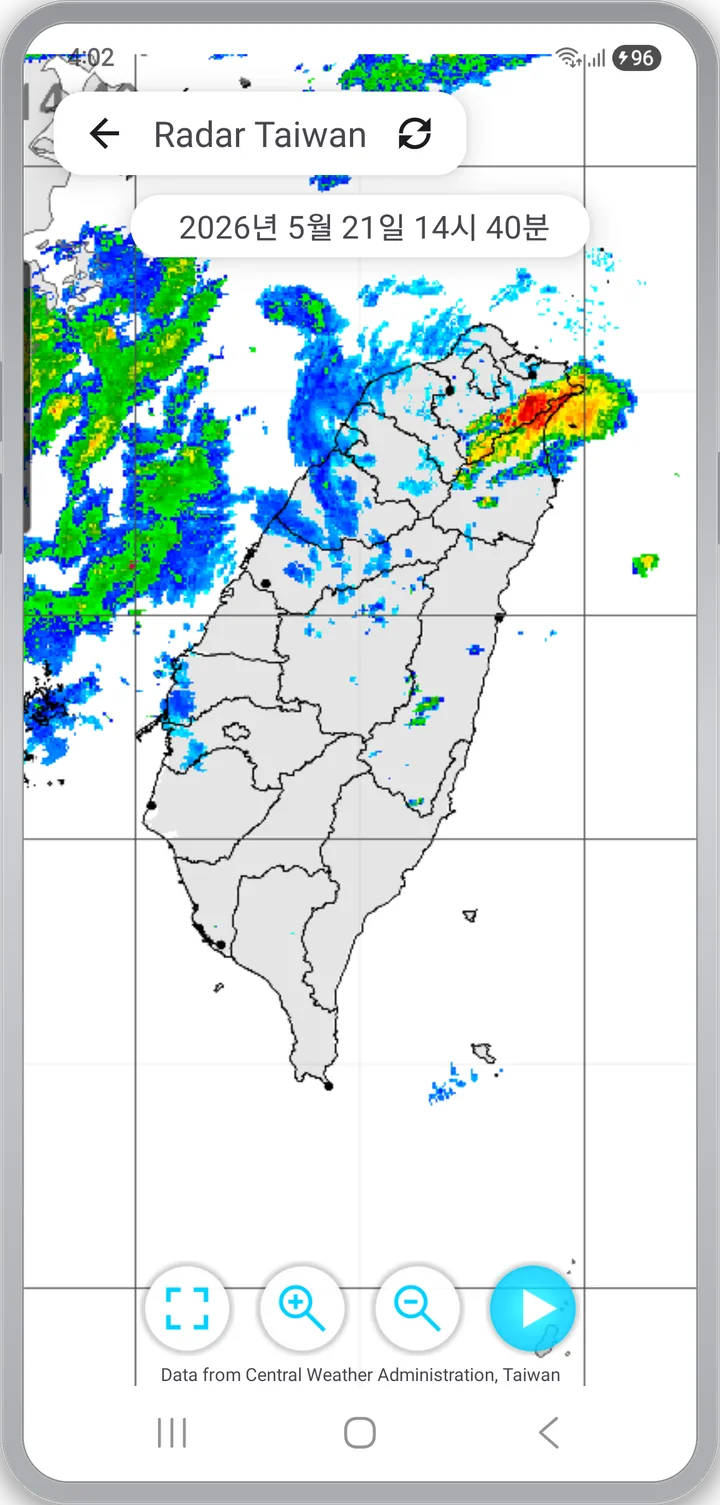
Six radar feeds, each shaped for a different reading. Read the macro shape on the composite, find yourself on the map overlay, then zoom into a local station if something nearby looks intense.
- Radar Map — rainfall over Google Maps, with an opacity slider
- Composite (all of Taiwan) and neighbor (East Asia) — catch incoming systems a step earlier
- Three local radars — 樹林 · 南屯 · 林園, for the fine structure of local storms
Temperature · Rain
Temperature now,
rain for the next 24 hours
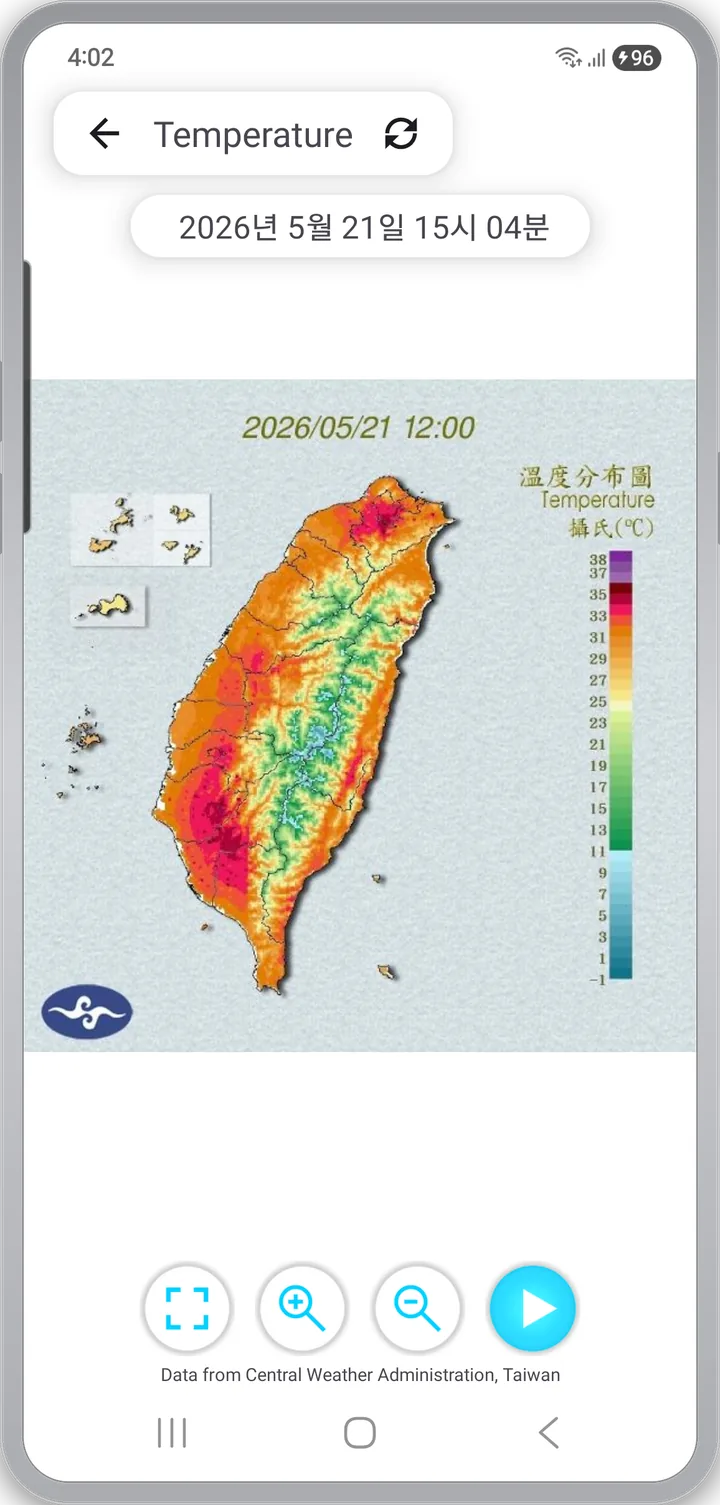
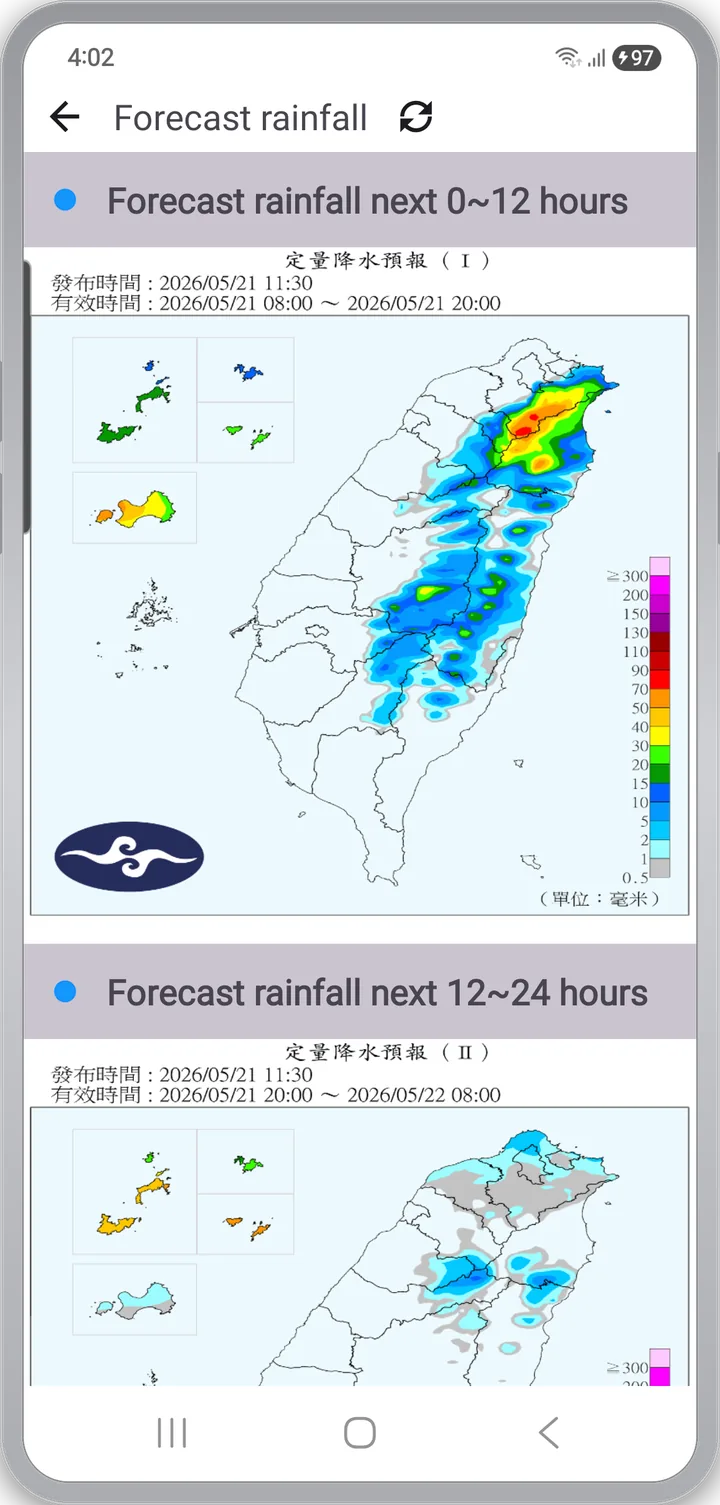
The temperature map colors Taiwan-wide air temperature. The Quantitative Precipitation Forecast (QPF) is a forecast, not an observation, split into two blocks for the next 24 hours.
- Scale bar of roughly 8–33 °C — north vs. south, mountain vs. coast at one timestamp
- QPF 0–12 h / 12–24 h maps stacked for comparison
- Accumulated daily rainfall — where and how much it rained over the past day
See all features Loop · Zoom · Timestamps · Dark mode · Languages
Playback and controls
- Satellite and radar load 15 frames, QPF loads 2–7 — no setup, the play button just works
- Temperature map: recent 7 frames, about 500 ms per frame
- Pinch to zoom or use ⊕ / ⊖; the left-most button toggles fullscreen
Explicit timestamps
- On top of the timestamp baked into the imagery, the viewer overlays its own ("2026/05/21 14:30")
- You always see the publish moment, even across time zones
Six radar feeds in detail
- Radar Map (Taiwan) — the current location pin makes "is it raining here?" a single glance
- Radar (Taiwan) — colors run blue → green → yellow → red as intensity rises
- Radar (neighbor) — composite extended to the East Asia region
- Three local radars — single-site feeds for 樹林 (ShuLin), 南屯 (NanTun), 林園 (LinYuan)
- Every radar feed runs the same 15-frame loop as the satellite views
Display, languages, storage
- Dark mode follows the system and desaturates menu icons so the imagery stays the focal point
- English (default) and Traditional Chinese (zh-rTW), switched by device locale
- Once cached imagery exceeds 300 files, the app cleans up automatically
Sources and credits
- Satellite / Radar / Temperature / Rainfall — Central Weather Administration (CWA, Taiwan · 中央氣象署), open data
- Map base — Google Maps (Radar Map screen only)
- Refresh cadence follows CWA's own schedule — about 10 minutes for satellite and composite radar, 6-hour blocks for QPF
- Every feed shows its source on the screen
Privacy
- No sign-up, no login. Open the app and you're in the imagery
- No location permission requested — the "you are here" pin is rendered by Google Maps itself; the app does not store your coordinates
- Network access is used to fetch CWA's public imagery and to serve ads
- Ads: the app is free to use and is supported by Google AdMob banner and interstitial ads. The AdMob SDK sends ad ID and impression/click data to Google.
App info
- Android · iOS
- English (default) / Traditional Chinese — auto-selected by device locale
- Free, with ads, no in-app purchases
- Coverage: Taiwan only — the CWA feeds are Taiwan-specific
Check Taiwan's sky right now
No sign-up — tap a tile and the latest 15 frames start playing.
Free · Ad-supported · No in-app purchases · English / Traditional Chinese