
UniverseDaily
A daily curation of the cosmos NASA, ESA, NOAA and ESO publish each day, laid out so anyone can browse it. Today's Sun and Moon, 30+ Solar System bodies as interactive 3D models, and tonight's sky at your location.


- No sign-up
- No location permission
- Korean · English · Japanese
Today
A day's cosmos
in one scroll
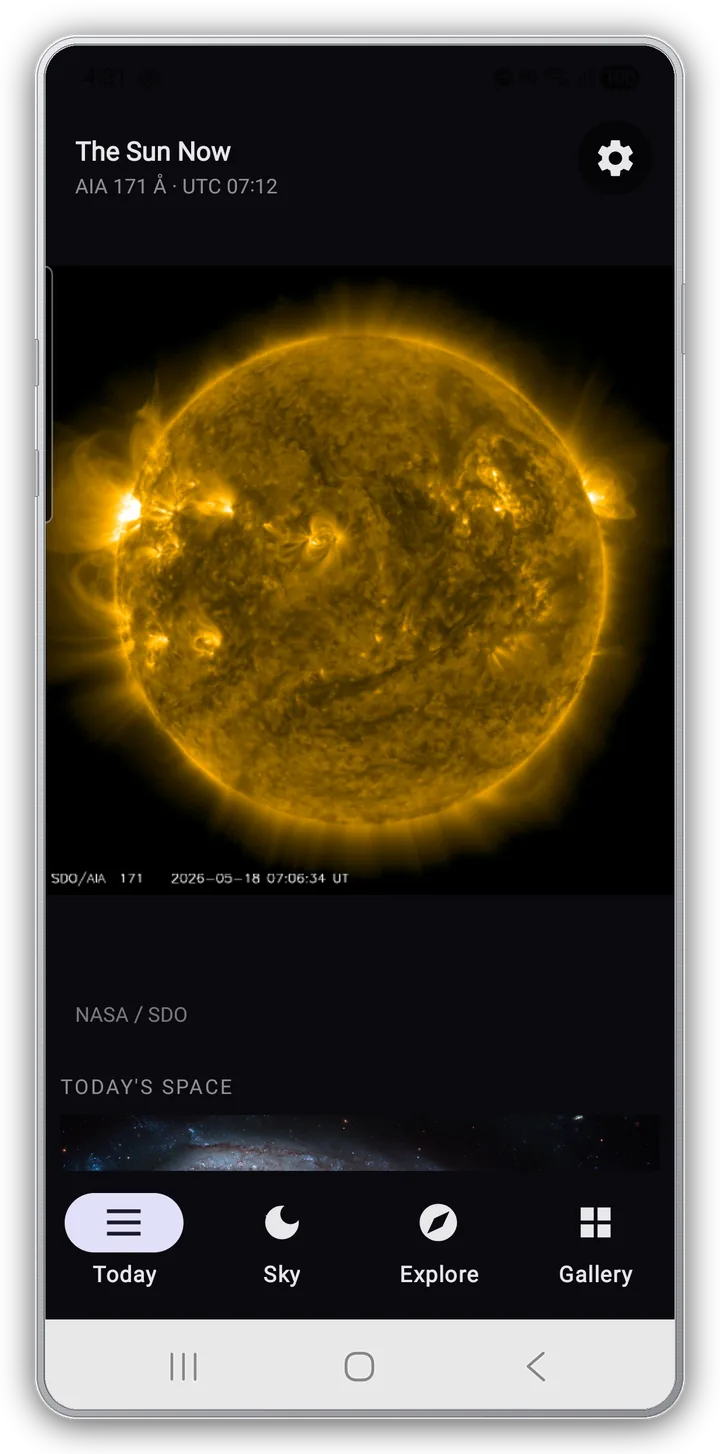
Open the app and the first thing you see is The Sun Now — the latest frame NASA SDO just took, with its metadata. Scroll down and the day's cosmos continues.
- Today's Space (APOD) — NASA's picture of the day, curated and explained
- Hubble · JWST · ESO Latest, and Mars surface from Curiosity and Perseverance
- DSCOVR EPIC's Earth, and Today's Moon with phase, distance and the next full Moon
Sun
A star
in 19 channels
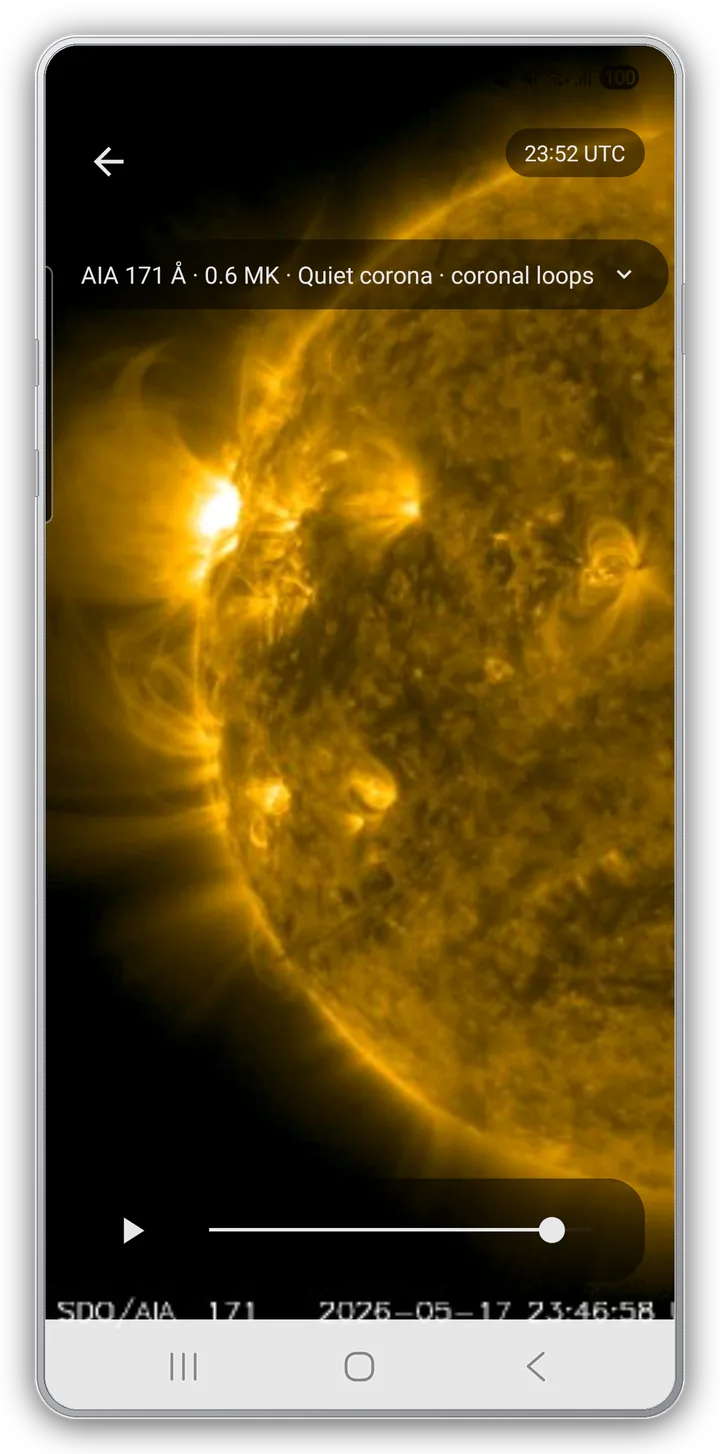
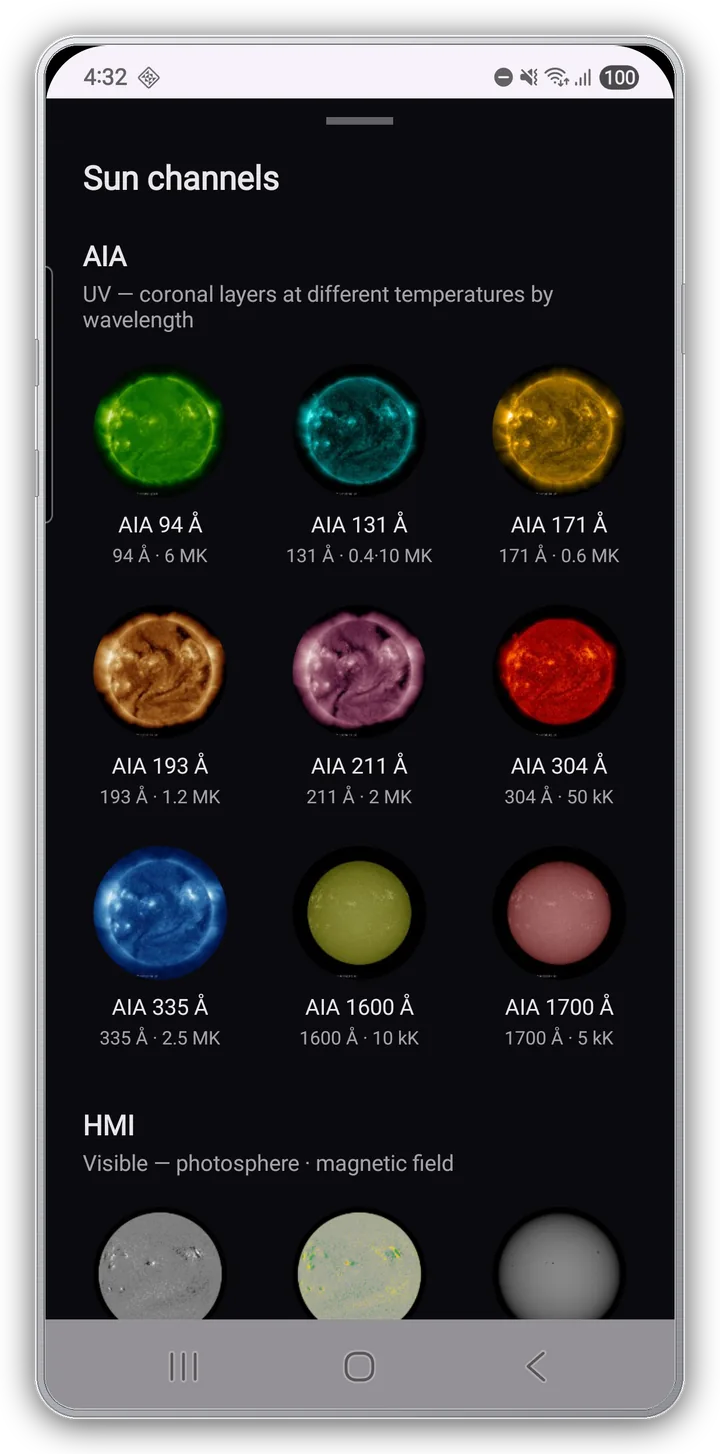
SDO publishes 19 Sun channels, but nothing tells you which channel shows what. The picker sorts them into three groups and labels each one (e.g. "AIA 171 Å · 0.6 MK · quiet corona · coronal loops").
- A 24-hour timelapse — watch flares and coronal loops actually move
- AIA 9 · HMI 6 · Composite 4 — coronal layers, photosphere and magnetic field, RGB composites
- A 1024 px high-res option and a cellular auto-download toggle
Moon
A Moon you can
turn in your hand
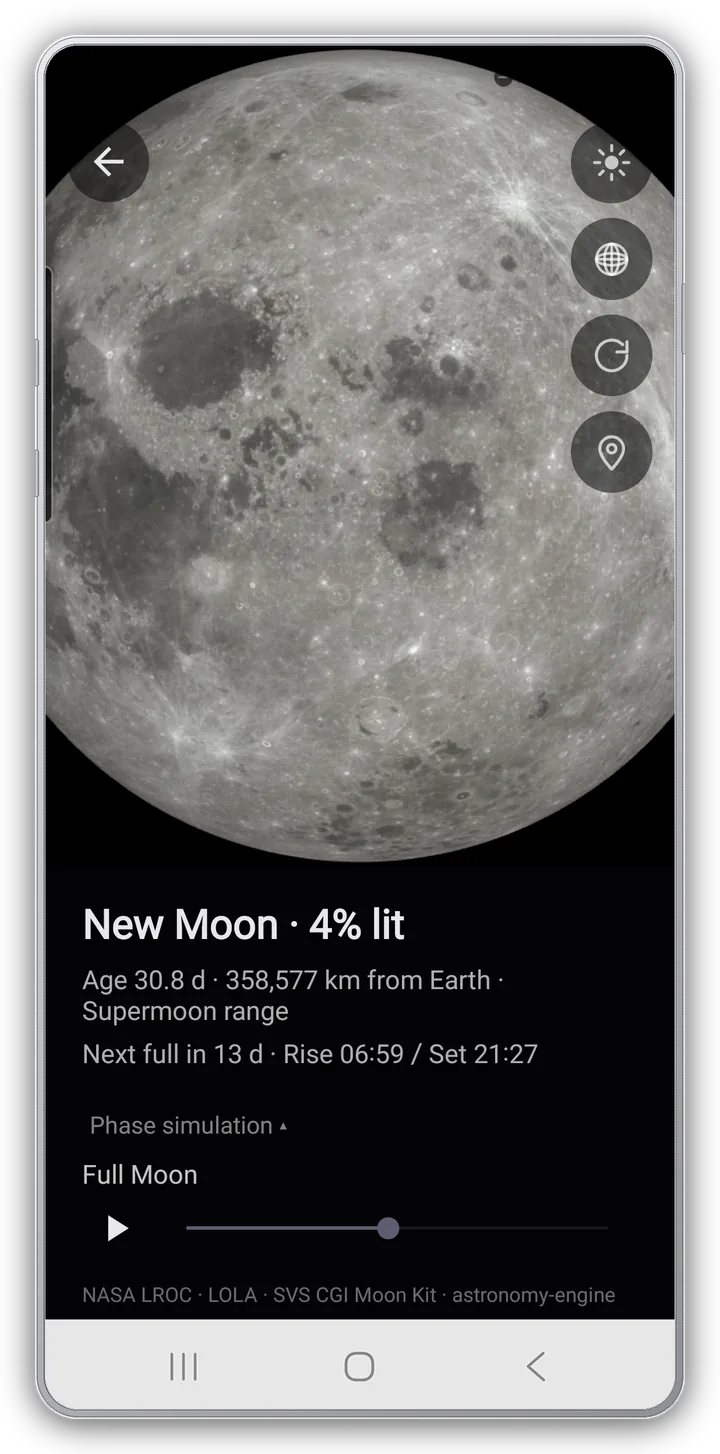
The Moon isn't a photo — it's an interactive 3D model, built on terrain measured by NASA LRO·LROC·LOLA and textured with SVS CGI Moon Kit. A state panel sums up the day in one line.
- 20 landmark pins — 6 Apollo landings · 5 craters · 5 maria · 4 modern uncrewed missions
- Full light · Lat/Lon grid · Auto rotate toggles
- A phase simulation that auto-plays the change toward Full Moon
Explore
30+ Solar System bodies,
in 3D
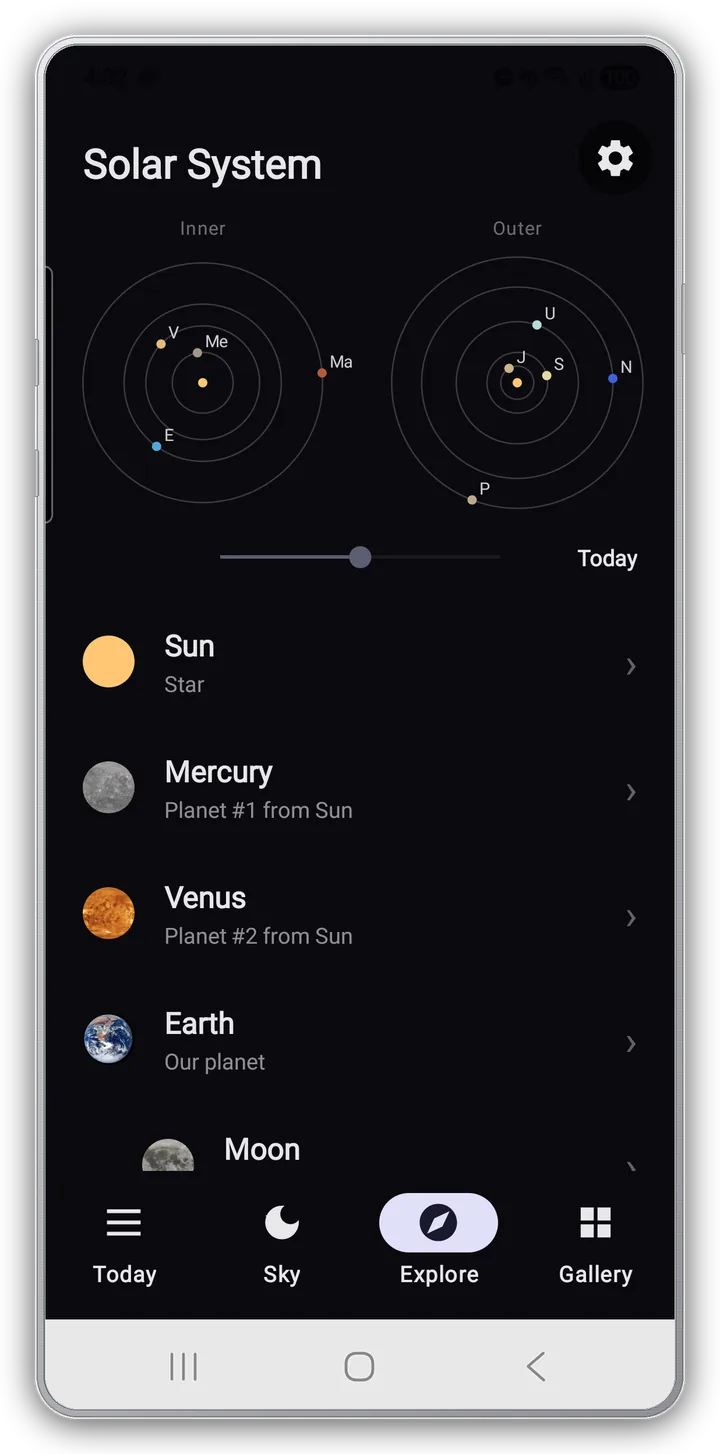
The whole Solar System as two concentric maps, inner and outer planets. Drag the time slider and the planets move along real-scale orbits — from where they are today to 100 days from now.
- The Sun, eight planets with their major moons, and Pluto (Charon) — 30+ bodies
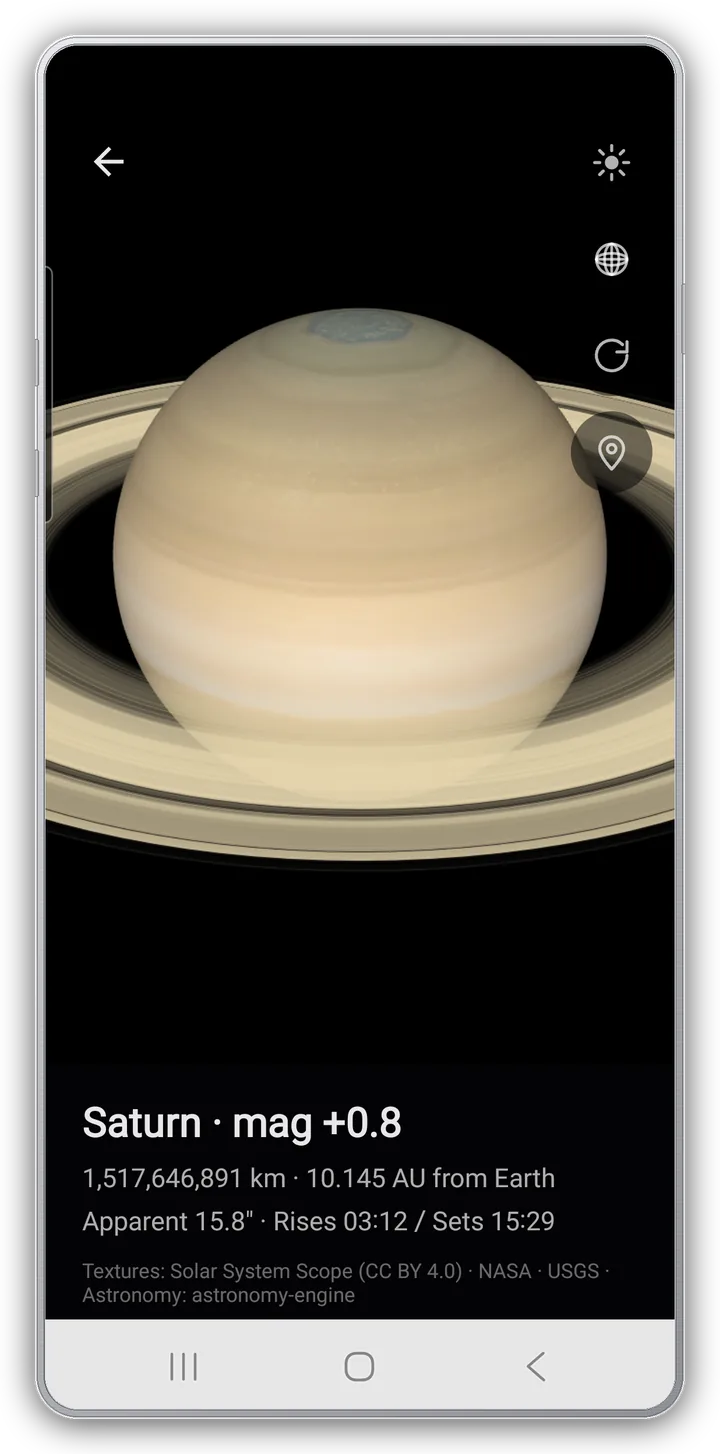
- A 3D model viewer for each — magnitude, distance, apparent size, today's rise and set
- Discovery year and discoverer, key missions, and a short description
Sky
What's visible
where you are tonight
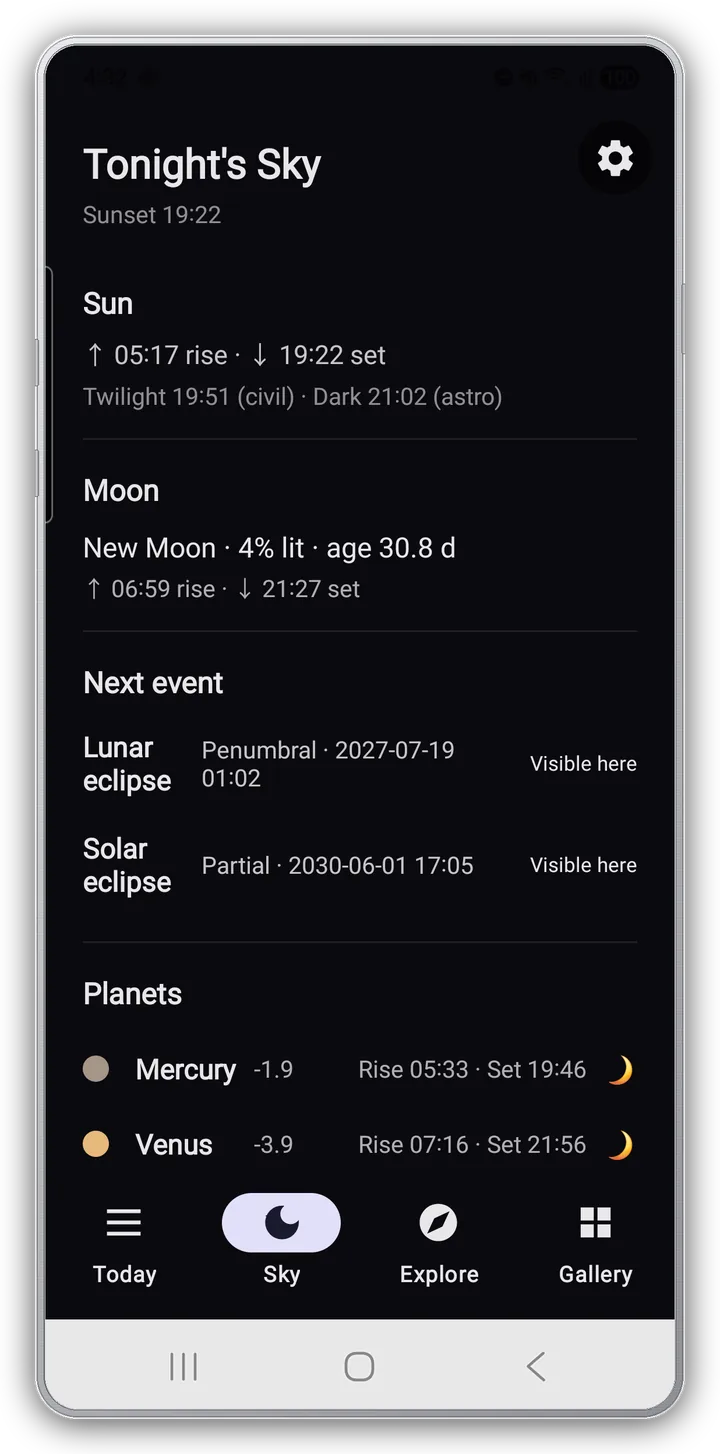
Tonight's celestial events at your location. Location is estimated from your IP — no GPS permission — and astronomy-engine computes the values for where you actually are.
- Sunrise, sunset and twilight; the Moon's phase, moonrise and moonset
- The next eclipse with "Visible here / Not visible here", the next meteor shower
- Aurora visibility from NOAA Kp, and planet rise/set from Mercury to Neptune
See all features Earth · Gallery · Sun channels · Moon landmarks · Bodies · Settings
Earth · Gallery
- Earth — DSCOVR EPIC at Lagrange L1 (about 1.5 million km), the full day-side disk, 48-hour timelapse
- Night mode — Black Marble 2016 · Suomi NPP VIIRS composite: city lights, fishing fleets, fires, gas flares
- Gallery tab — Hubble Latest · JWST Latest · ESO Latest (ground telescopes / Chile)
- Tap a card for fullscreen, with a "View original" button to the source page
19 Sun channels
- AIA (UV) 9 — 94 Å (6 MK · flares), 131 Å, 171 Å (quiet corona), 193 Å (coronal holes), 211 Å (active regions), 304 Å (chromosphere + transition), 335 Å, 1600 Å, 1700 Å (photosphere)
- HMI (visible) 6 — magnetogram, color magnetogram, continuum (sunspots), color continuum, flat continuum, Dopplergram
- Composite 4 — 211·193·171, 304·211·171, 94·335·193, HMI magnetogram + AIA 171
- High-res 1024 px uses about 576 MB of memory (3 GB+ RAM recommended), about 10 MB per channel
20 Moon landmarks
- Apollo crewed landings 6 — 11, 12, 14, 15, 16, 17
- Craters 5 — Tycho, Copernicus, Plato, Aristarchus, Clavius
- Maria 5 — Imbrium, Serenitatis, Tranquillitatis, Crisium, Procellarum
- Modern uncrewed missions 4 — Chang'e 4 (first far-side landing), Chang'e 5 (sample return), Chandrayaan-3 (first south-polar landing), SLIM (pinpoint landing)
- State example: "New Moon · 4% lit / Age 30.8 d · 358,572 km from Earth · Next full in 13 d"
Bodies, sky details, settings
- Planets and moons — Mercury, Venus, Earth (Moon), Mars (Phobos, Deimos), Jupiter (Io, Europa, Ganymede, Callisto), Saturn (Mimas, Enceladus, Tethys, Dione, Rhea, Titan, Iapetus), Uranus (Miranda, Ariel, Umbriel, Titania), Neptune (Triton)
- Distant, dim bodies like Pluto (mag +14.5, 35.128 AU) use the same 3D viewer
- Eclipse kinds (penumbral / partial / total / annular / hybrid), meteor-shower peak and ZHR, four-level aurora verdict
- On Android 12+, an opt-in Material You accent (default is brand indigo)
- Enjoy it just by scrolling; go deeper and every channel, landmark and texture is labeled with its source
Sources & credits
- Sun — NASA SDO (AIA · HMI) / Today's Space — NASA APOD
- Earth — NASA DSCOVR EPIC; night composite NASA SVS · Suomi NPP VIIRS · Black Marble 2016
- Moon — NASA LRO · LROC · LOLA · SVS CGI Moon Kit
- Telescopes — Hubble (NASA/ESA), JWST (NASA/ESA/CSA), ESO / Mars — NASA/JPL-Caltech
- Body textures — Solar System Scope (CC BY 4.0) · NASA · USGS / Astronomy — astronomy-engine / Aurora — NOAA Kp index
Privacy
- No account, no login. Open the app and start
- No location permission — tonight's sky uses a location estimated from your IP; no precise GPS coordinates are read
- Network usage is limited to fetching public data and ad delivery
- Large downloads like Sun timelapses can be kept off cellular in Settings
App info
- Android · iOS
- Korean / English / Japanese — auto by device locale
- Free (with ads, no in-app purchases)
Open today's cosmos
No sign-up — it opens on the Sun as it looks right now.
Free · Ad-supported · No in-app purchases · Korean / English / Japanese