

SnapAtlas
Bring the thousands of photos buried in your gallery back to life — by time, by place, and by turning many shots into a single collage with one tap.
- No sign-up
- Photos stay on your device
- Android 8.0 or later
- Dark mode
Time
Every weekend afternoon
from last spring
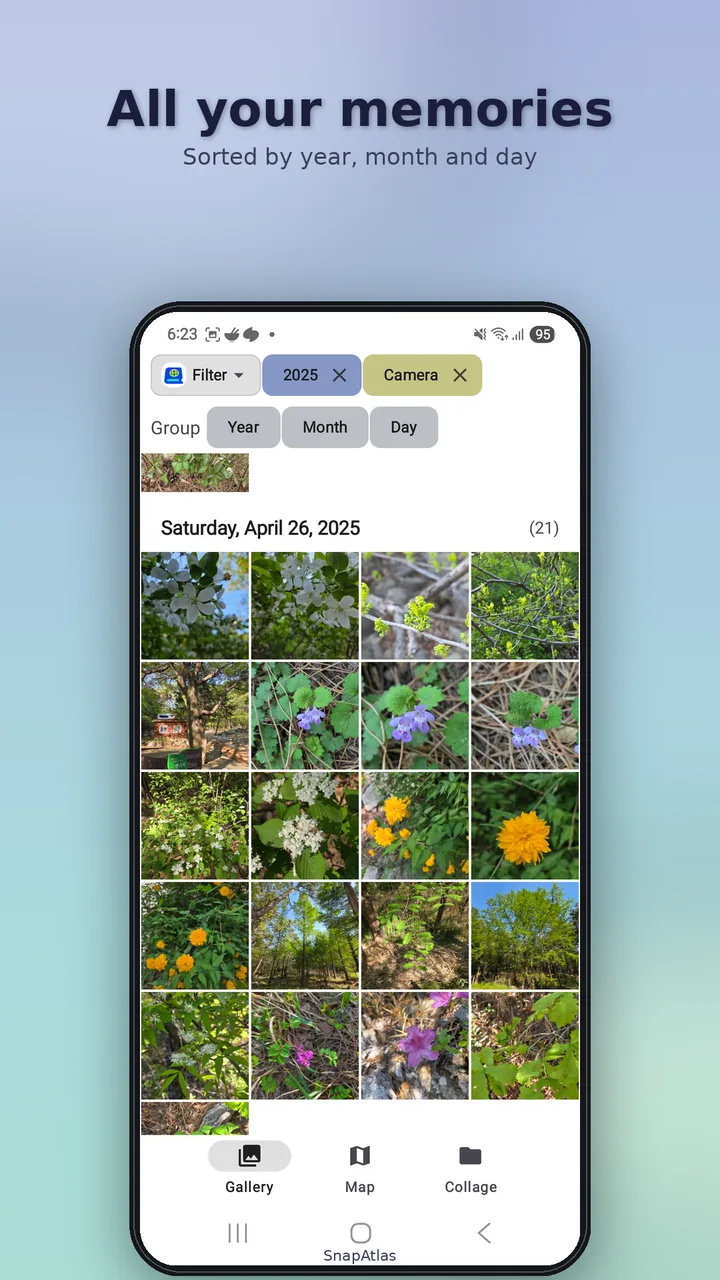
Every default gallery is one endless reverse-chronological scroll; once a photo scrolls past, it's gone. SnapAtlas replaces it with eight precise filter dimensions. Combine them and a moment sharpens into focus.
- Year · month · day range · weekday · time of day — "2023 + May + Sat–Sun + Afternoon"
- Orientation · source · custom date range too
- Pinch-zoom grid; long-press multi-select to delete, share or collage
Place
"I know I shot it here"
— on the map
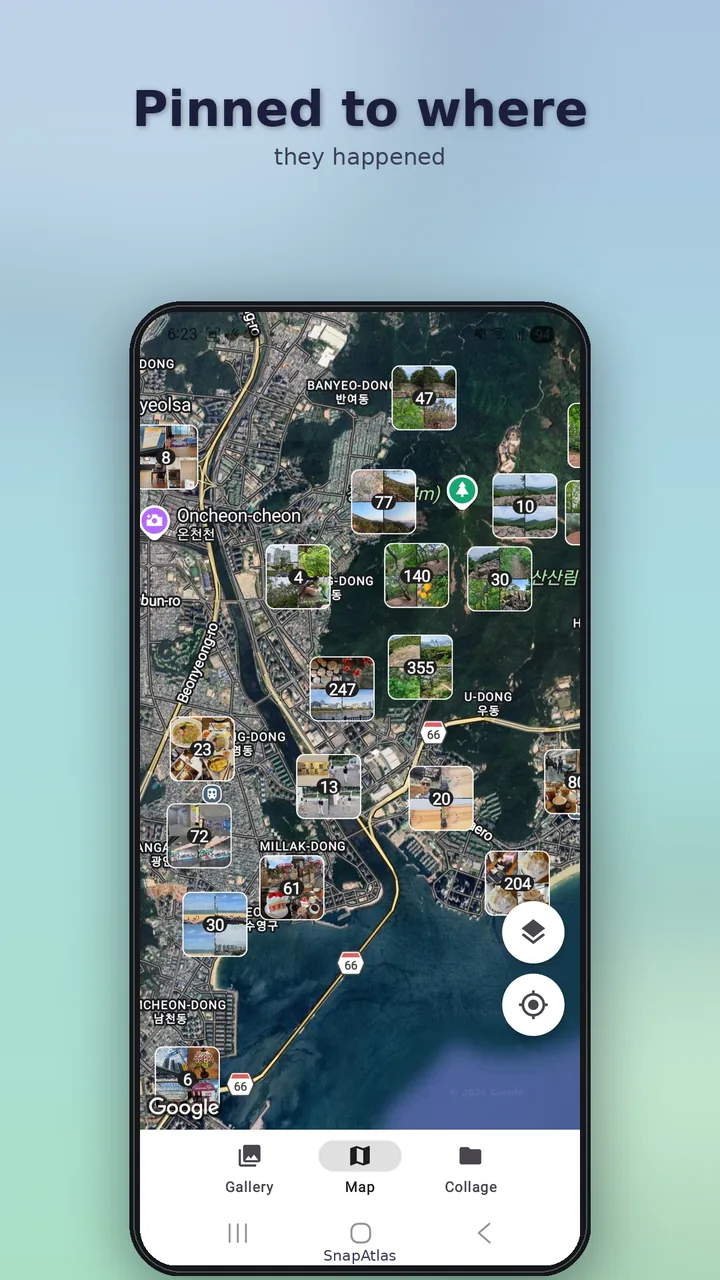
Photos with GPS information appear on Google Maps automatically. After a trip you'll find yourself naturally asking, "What did I shoot here?"
- Automatic clustering by zoom — fifty shots from one neighborhood become a single "50" pin
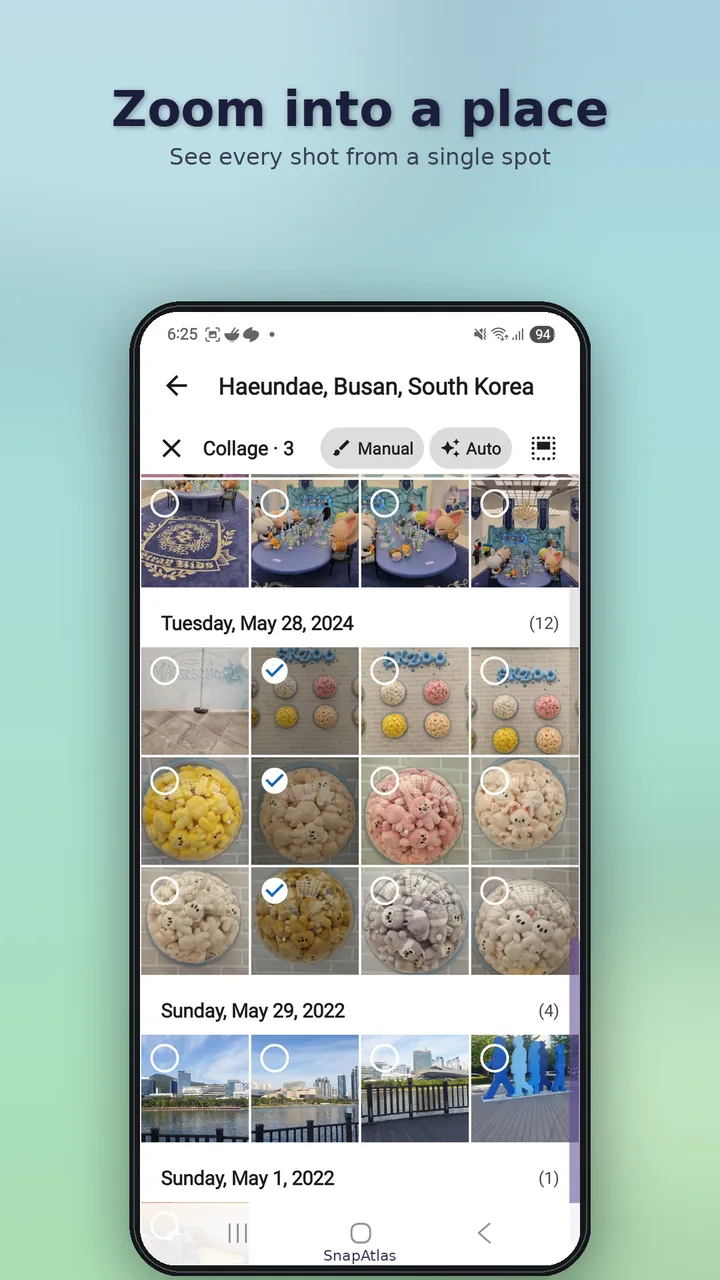
- Tap a pin and every photo from that spot spreads out as a grid
- Far more intuitive than naming folders by location
Auto Collage
The app picks the layout,
you keep the memories
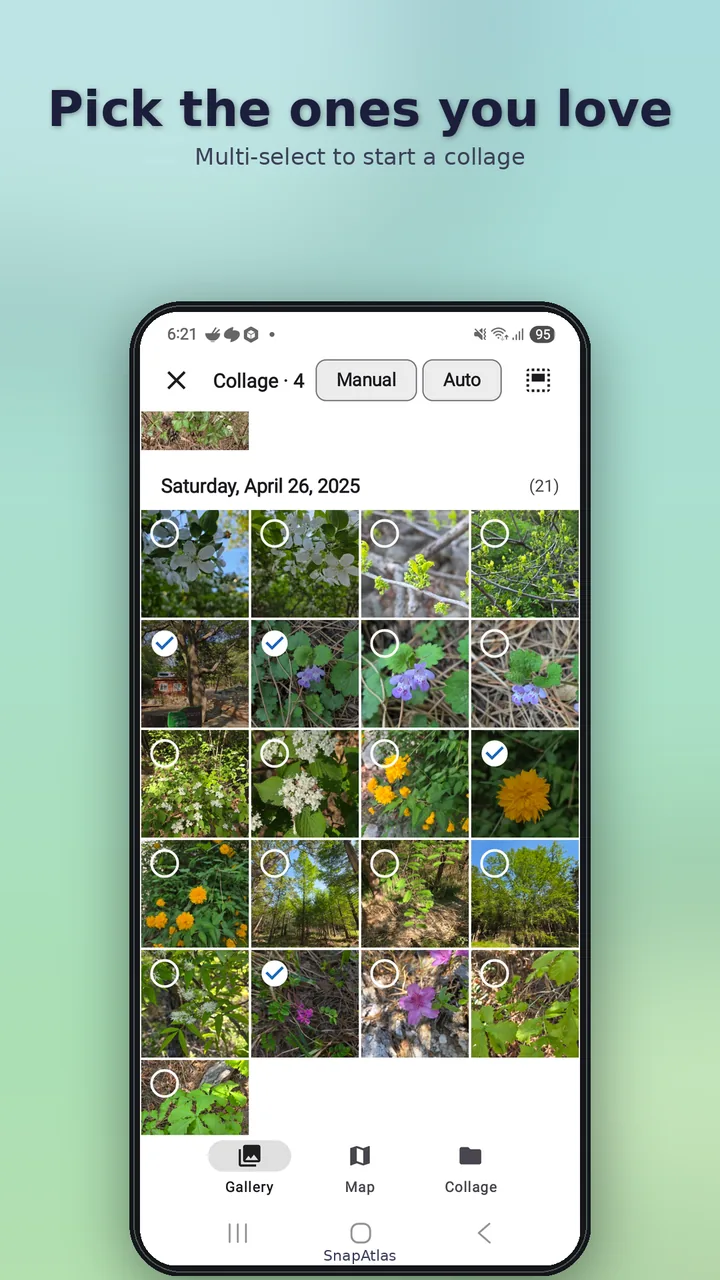
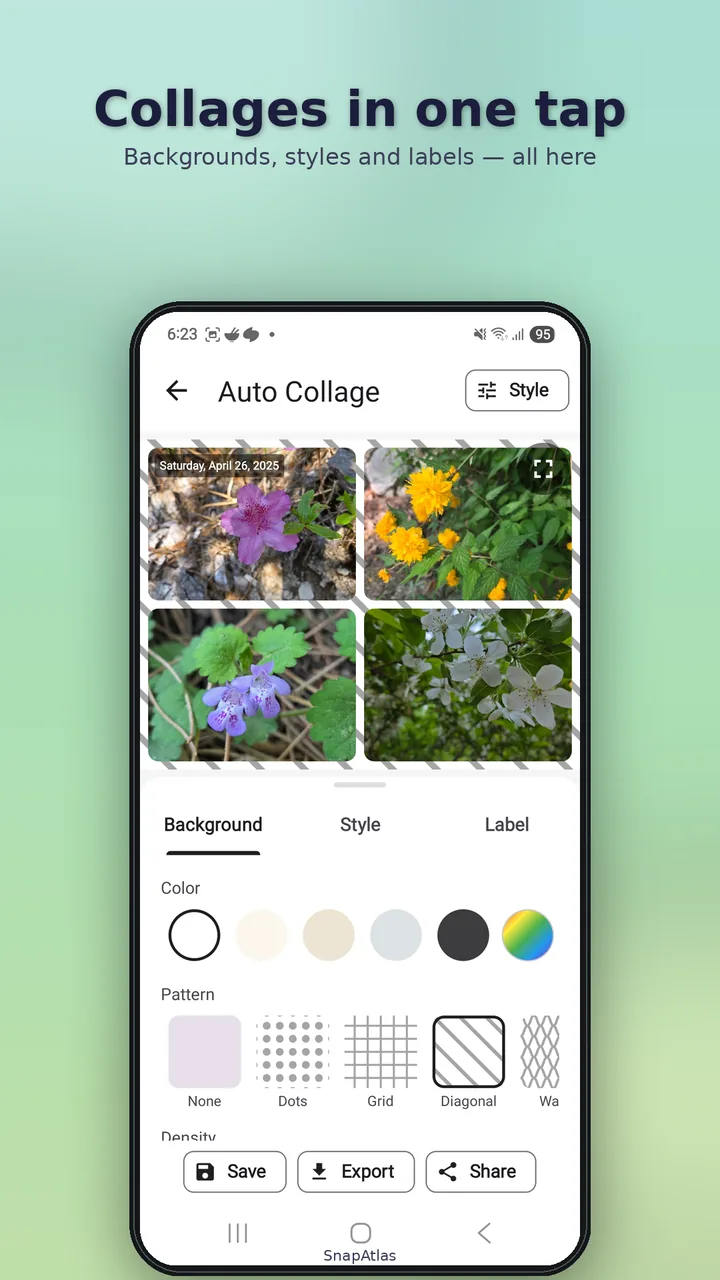
The biggest friction in collage apps is deciding which photos go where. Select several and SnapAtlas groups them by date and generates multiple collages in one shot.
- Auto-grouping by date — day, month, year or weekday
- Automatic layout — 1–8 photos per grid, 1–4 grids per canvas
- Style — background, margin, corners, date and place labels, patterns
Library
Collages saved
as lightweight recipes
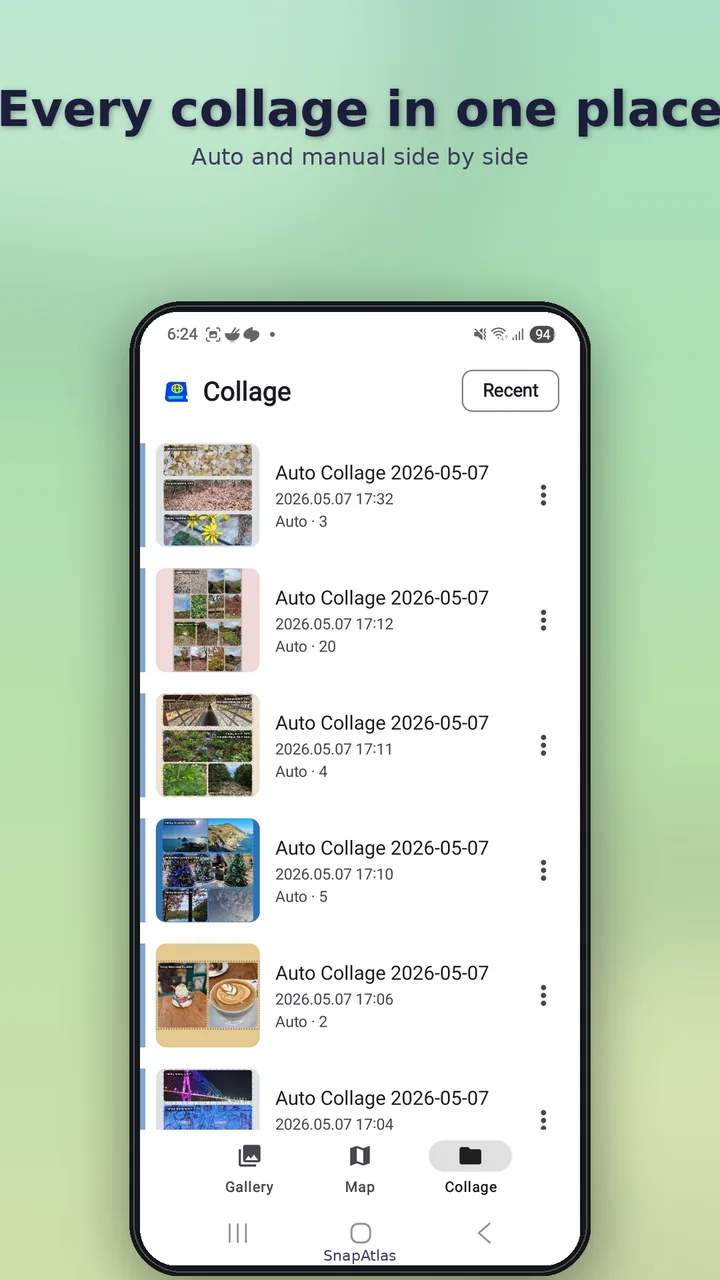
Each collage is saved as just the photo IDs and style parameters, so the library stays nimble. Open one later, tweak the background or roundness, and re-export.
- Sort by recent or name, rename the ones that matter
- Duplicate to try "same photos, different style"
- Multi-select to delete several at once
Export
Save to your gallery
or share right away
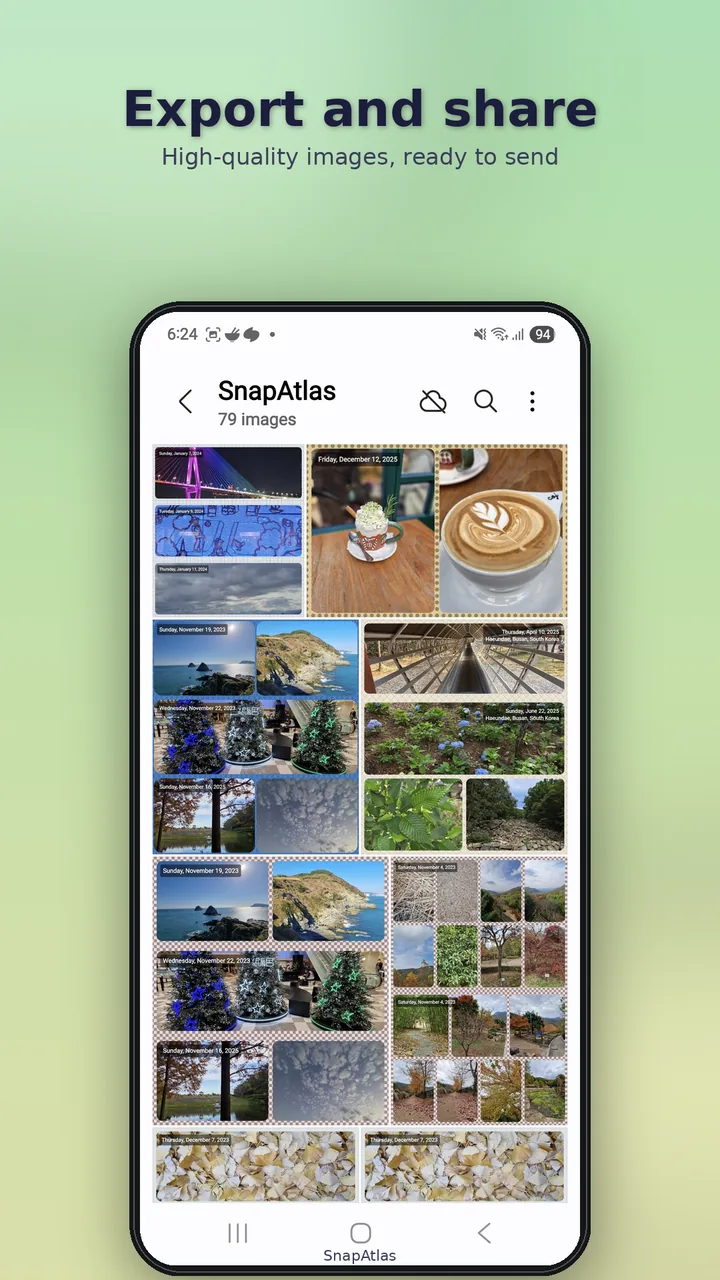
Finished collages save to your gallery as image files or share straight to messengers and social apps.
- Canvas 1080 px wide
- Height auto-fitted between 720 and 2160 px by photo count
- Sized for social uploads out of the box
Versus other apps
What makes SnapAtlas different
Versus default galleries (Google Photos, Samsung Gallery)
A flow tuned for recall
Default galleries show flat pins on a map. SnapAtlas uses a cluster → grid flow tuned for recall, with 8-dimensional filter combinations on top.
Versus collage apps (PicCollage, Canva, etc.)
Almost no decisions
Those make you hand-pick and hand-arrange. SnapAtlas turns one selection into many finished collages automatically.
Versus photo cleaners (Slidebox, etc.)
Rediscover, not delete
Cleaners focus on deleting clutter. SnapAtlas focuses on rediscovering the photos worth keeping.
See all features Eight time filters · Collage style · Why
Eight time filters
- Year — 2024 / 2023 / 2022 … · Month — January through December
- Day-of-month range — 1–10 / 11–20 / 21–end
- Day of week — Monday through Sunday · Time of day — Dawn / Morning / Noon / Afternoon / Evening / Night
- Orientation — Landscape / Portrait · Source — Camera / Downloads / Screenshots, and more
- Custom date range — pick your own start and end
- A slice like "Sunday afternoon" doesn't exist in a default gallery · staggered grid
Collage style
- Background — White / Black / Gray / Beige / Sky / Charcoal (6 presets)
- Margin — 0 to 40 px · Rounded corners — 0 to 50 px
- Date labels — show / hide, four corner positions
- Place labels — auto-shown when entering from a map cluster
- Decorative patterns — 4 density × 4 rotation steps
- Swipe through the previews
Why SnapAtlas
- You want that trip from two springs ago but can't find it
- You remember shooting at a place — but where are the photos?
- You'd love to turn a few shots into one memory without picking them one by one
- New photos pile up; old ones drift further away every day
Privacy
- Your photos stay on your device — no cloud uploads
- No account, no sign-in. Open the app and you're in
- Location data (photo EXIF and current location) is processed locally for map features only
- Ads disclosure: SnapAtlas is free to use and includes Google AdMob banner ads. The AdMob SDK sends your advertising ID and impression/click events to Google.
App information
- Android 8.0 or later
- English / Korean — auto by device settings
- Dark mode supported
- Free (ad-supported, no in-app purchases)
Three in one app
- Time-axis filtering
- Map-based recall
- Automatic group collages
Bring your old photos back
No sign-up — and your photos never leave your device.
Free · Ad-supported · No in-app purchases · Android 8.0 or later · English / Korean