
Weather Satellite Live
Korea Meteorological Administration satellite, radar and typhoon imagery plus nationwide road CCTV in one app, auto-playing from the latest frame. Watch where rain clouds form and where they are heading.


- No sign-up
- Android 8.0 or later
- English · Korean · Japanese · Chinese
- Dark mode
One screen
Scattered weather data,
gathered in one grid
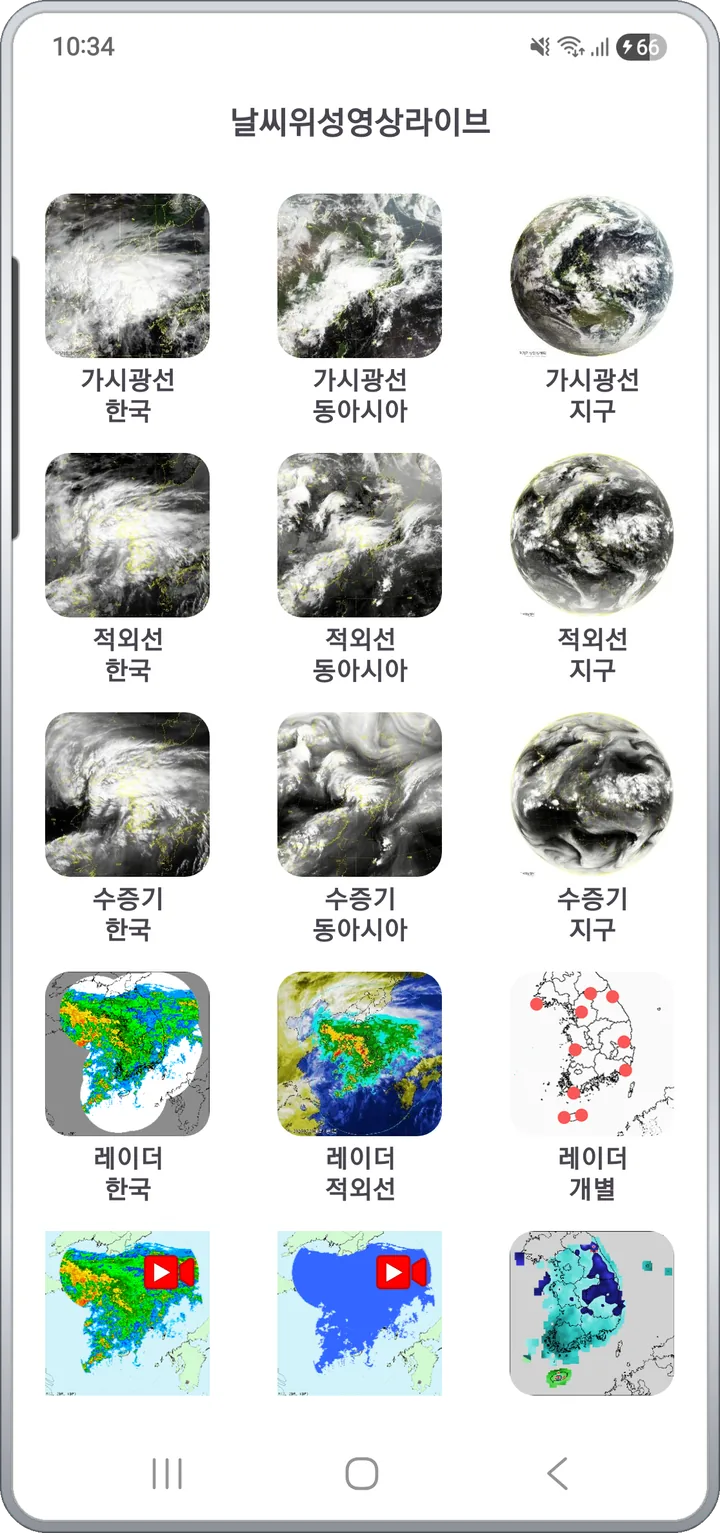
On the Meteorological Agency site, satellite, radar, typhoon, yellow dust, temperature and local forecasts each live in separate menus. Weather Satellite Live gathers them into a single grid menu, and any channel you tap starts auto-playing from the latest image as a time-lapse.
- 12 channels — satellite, radar, typhoon, yellow dust and CCTV on one screen
- Auto-play from the latest frame, with pause and zoom at the bottom
- Every frame shows its observation time (KST)
Satellite
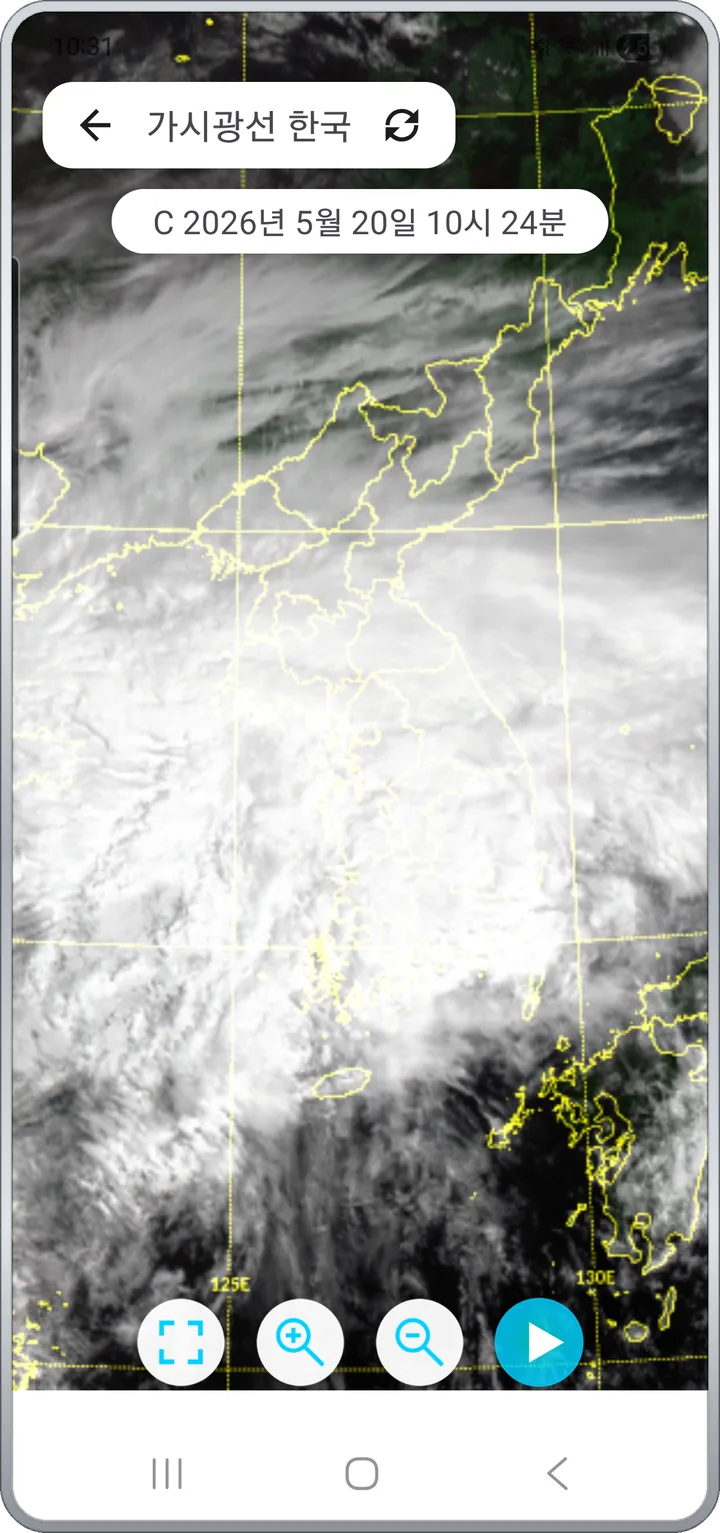
Visible, infrared, water vapor:
three ways to see the sky
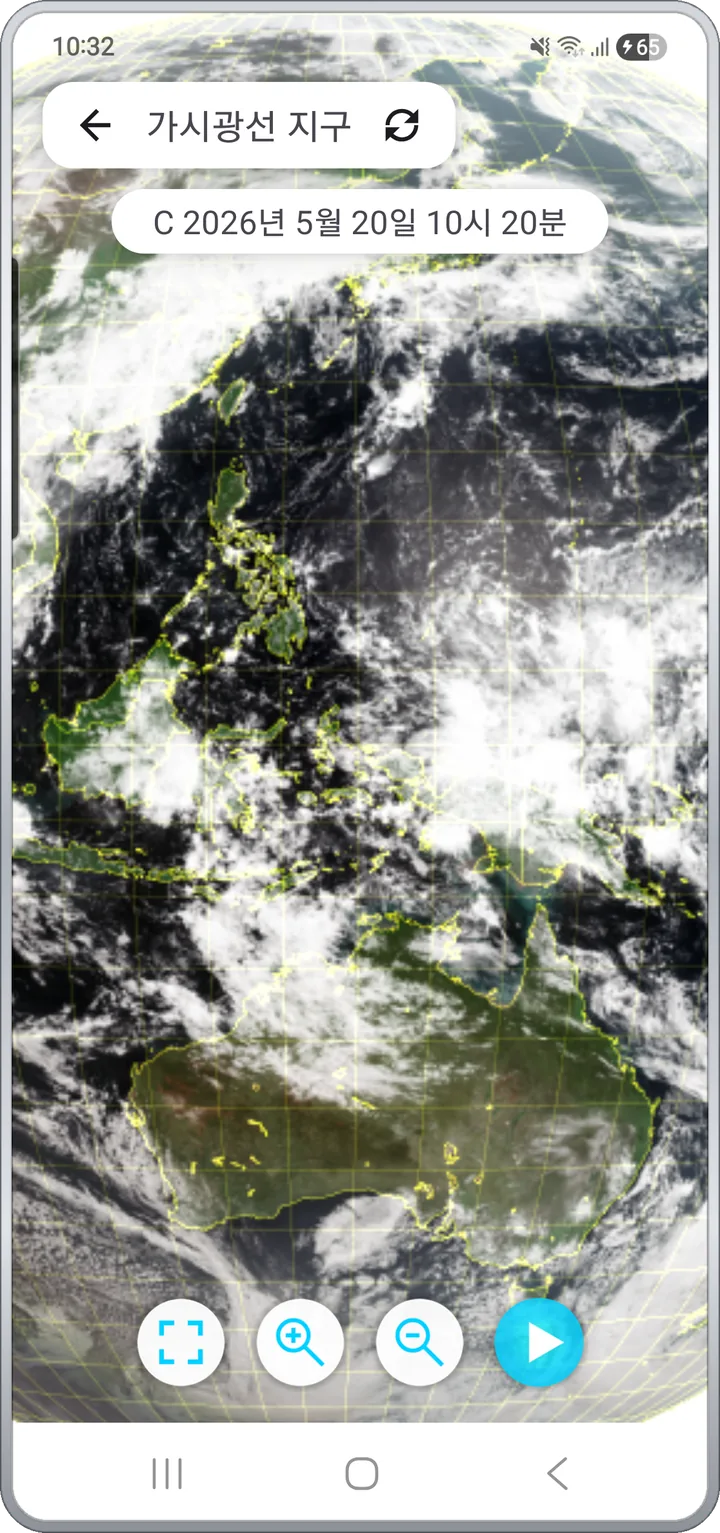
Imagery from the GEO-KOMPSAT-2A satellite comes in nine channel × region combinations. Pick a tight view of cloud development near the peninsula, a wider East Asia flow, or pull all the way out to near-equator scale.
- Visible shows cloud shape and thickness by day; infrared shows clouds even at night
- Water vapor shows upper-level moisture flow — read heavy rain and typhoon buildup ahead of time
- Korea · East Asia · Earth, with pinch zoom and drag pan to focus on one area
Radar
Where the rain is,
right now
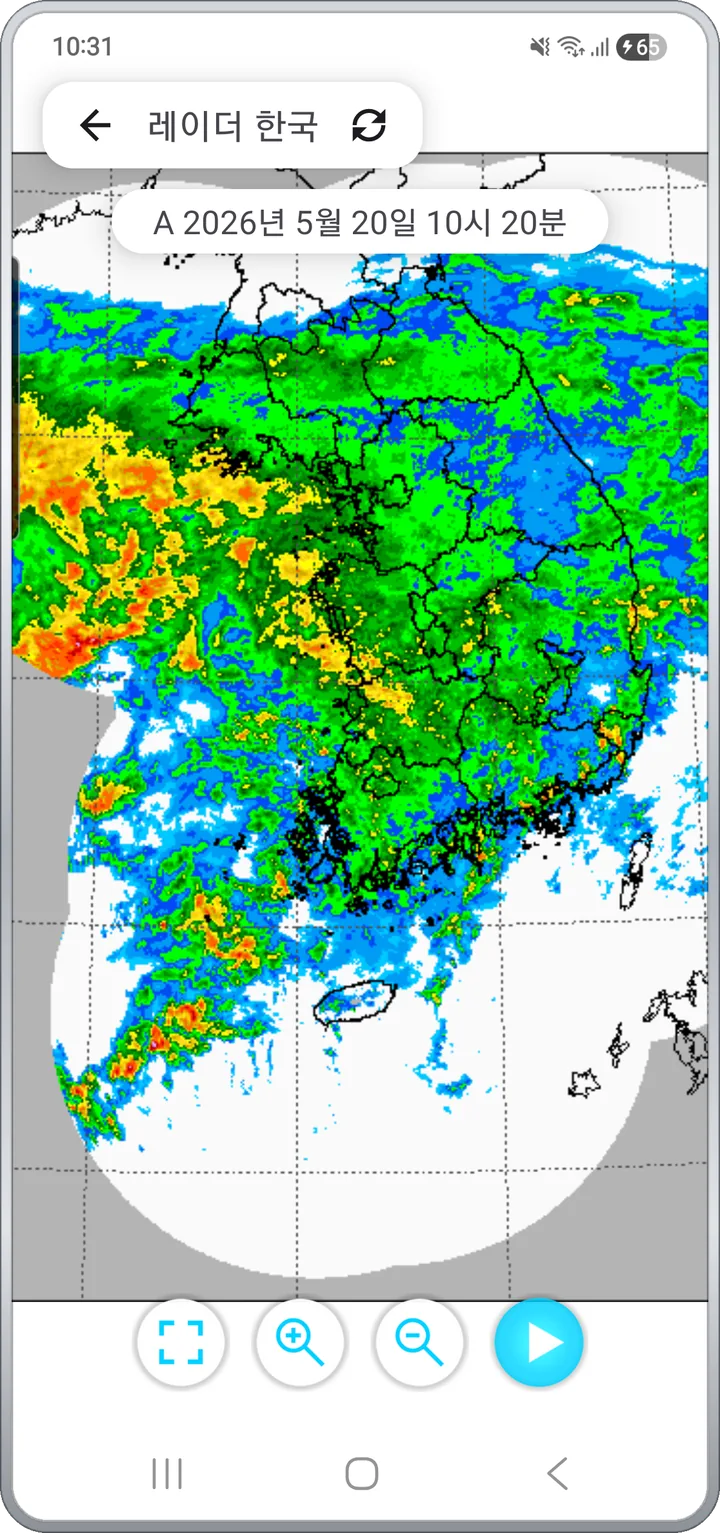
Composite precipitation radar from the Meteorological Agency, replayed in time order. Rainfall intensity is color-coded, so heavy-rain zones across the peninsula are visible at a glance.
- Korea · Neighbors · Detail · Infrared composite
- 9 local radar sites from Baengnyeongdo to Jeju for rain close to home
- Satellite IR blended with radar shows clouds and rainfall together
Typhoon · Yellow dust
Read the track
before it arrives
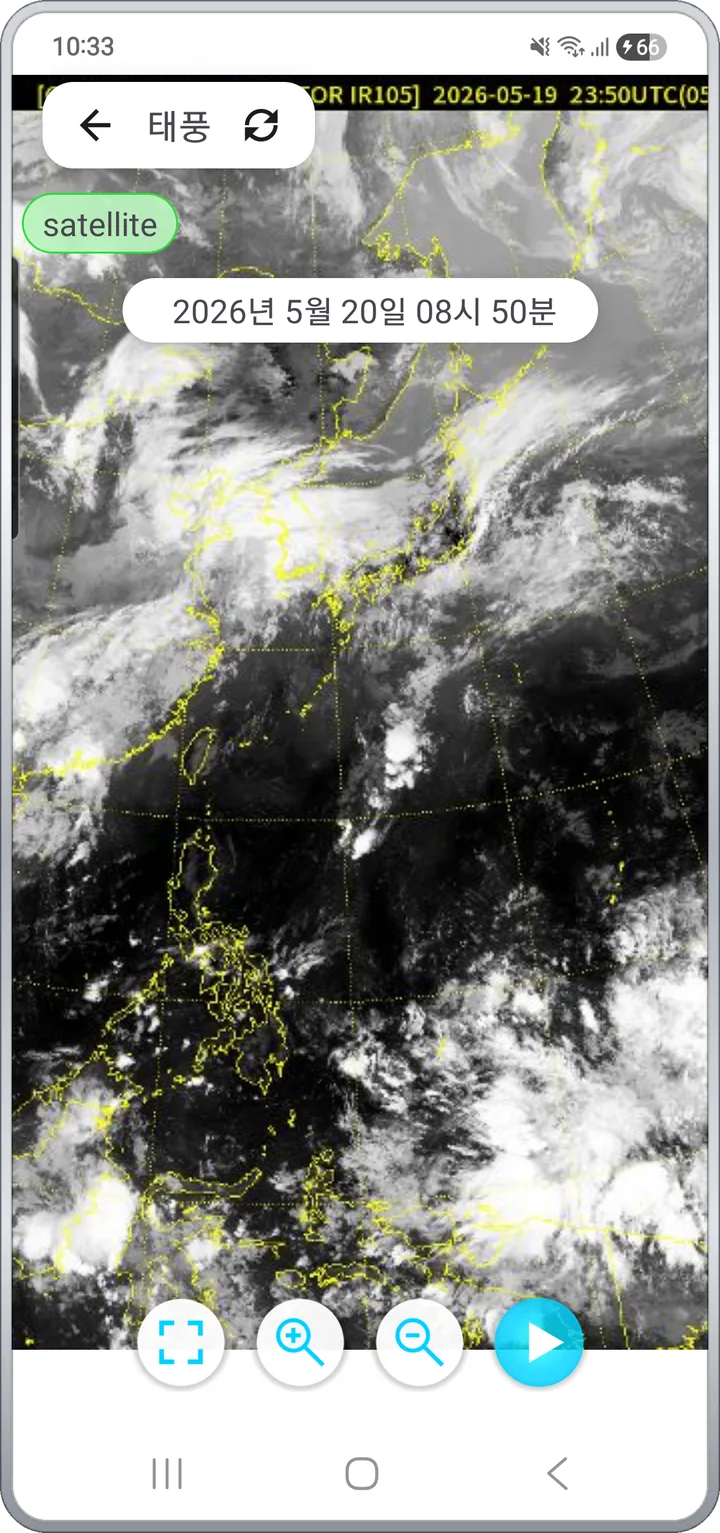
When a typhoon is active, the app plays a satellite infrared time-lapse so you can follow where it formed, where it's heading, and how fast it's closing in. In dust season, the same time-lapse shows incoming yellow-dust paths.
- Satellite imagery shows the storm's eye and outer cloud bands as they look
- Observation timestamps let you gauge how far it has traveled
- Yellow-dust imagery shows incoming fine-dust paths
Road CCTV
After the sky, the road
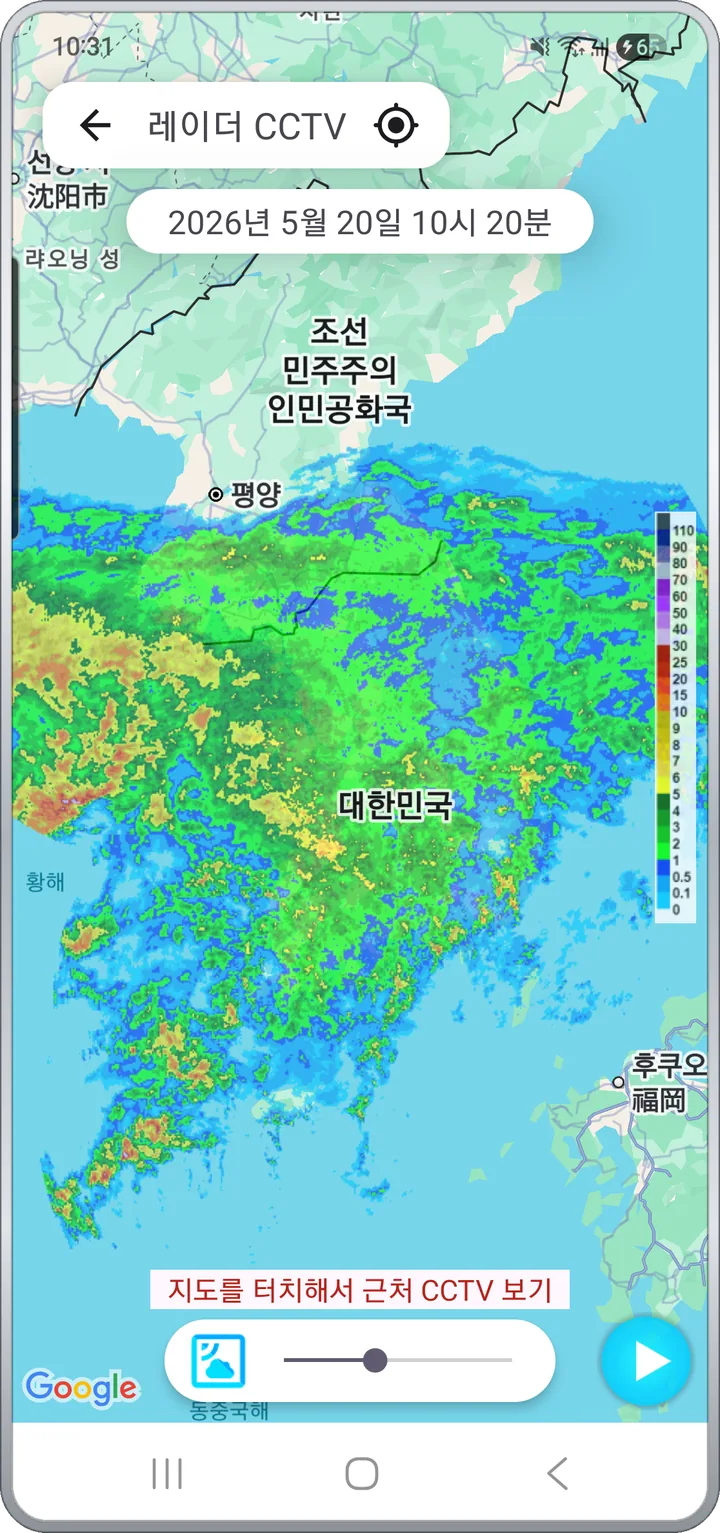
"I know it's raining, but what does the road actually look like?" That's why nationwide road CCTV is built into the same app. Satellite, then radar, then CCTV — the pre-departure decision ends in one app.
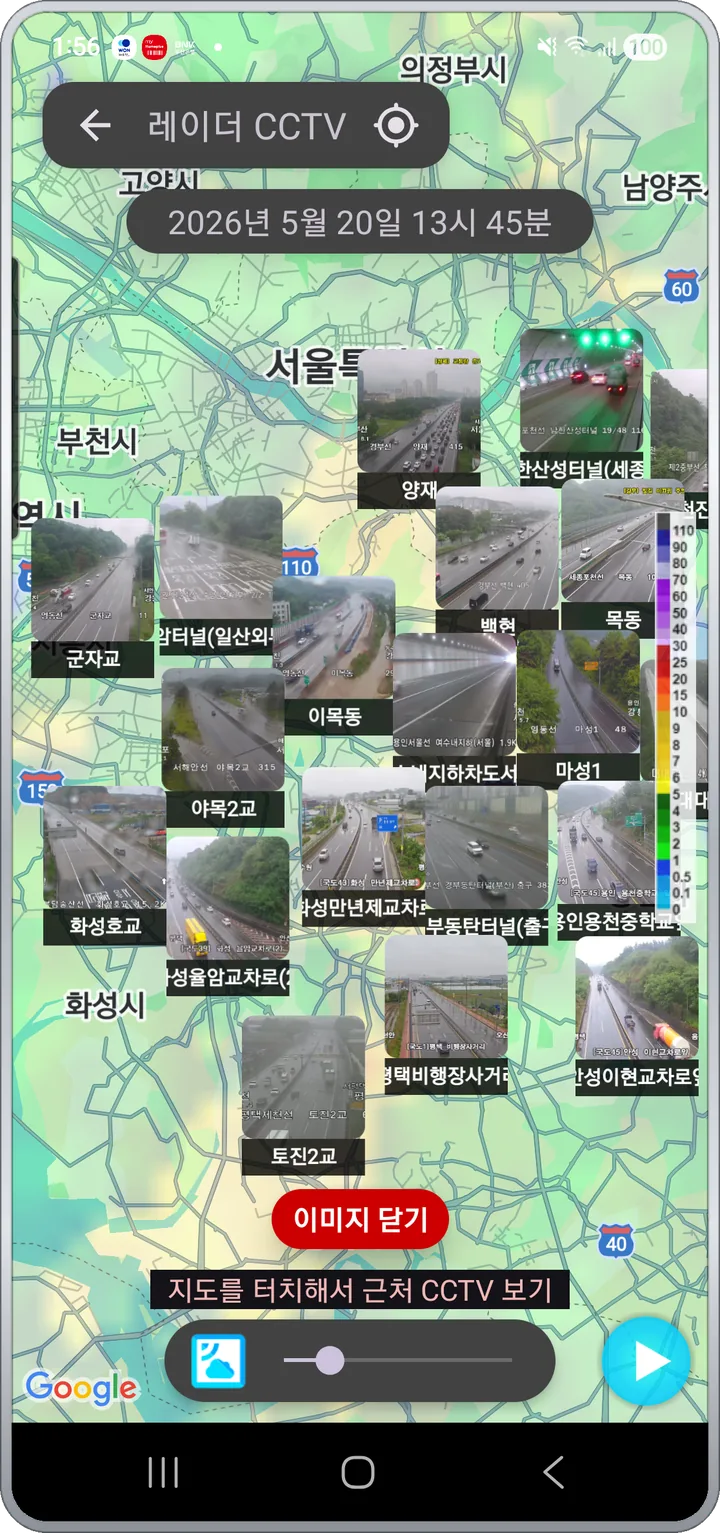
- CCTV markers over precipitation radar — tap a camera in the rainy zone
- Several nearby cameras as small videos at once on one map
- Tap a marker for a single live feed; Jeju roads have their own channel
Versus other weather apps
What makes it different
Versus the official agency app
Same source, shorter path
Satellite, radar, typhoon, CCTV and forecasts live in one grid menu, and every screen auto-plays from the latest frame.
Versus generic weather apps
Imagery, not just numbers
Instead of temperature and rain probability, you watch where clouds and rain bands actually are and where they are going.
Versus radar-only apps
One level above radar
Satellite visible, infrared and water-vapor channels sit next to radar, so you can read where weather forms and where it heads.
See all features Local radar · Map data · Local forecast · Controls
9 local radar sites
- Baengnyeongdo · Hwacheon (Gwangdeoksan) · Gangneung · Seoul (Gwanaksan) · Gunsan (Oseongsan)
- Cheongsong (Myeonbongsan) · Jindo · Busan (Gudeoksan) · Jeju (Gosan / Seongsan)
- Short-range precipitation as a circular Doppler pattern, which the composite can't show
- Pick the site nearest your commute or home to spot incoming rain bands faster
Map data
- Temperature map — color-coded temperatures across the peninsula
- Precipitation / snowfall map, forecast map
- Weather chart and text forecast — official Meteorological Agency materials
- A color legend beside each map to read actual values
Local forecast · favorites
- Current-location short-term forecast, search by address for other areas
- Save workplace, hometown or parents' place to Favorites and check them in one pass
- Temperature · wind direction / speed · humidity · precipitation probability · rainfall · snowfall
Playback and controls
- Every imagery screen works the same — auto-play from the latest, play / pause
- Zoom in / out buttons, pinch zoom and drag pan
- Observation timestamp (KST) on each frame, dark mode supported
Data sources
- Korea Meteorological Administration — satellite, radar, forecast, typhoon, yellow dust
- National Police UTIC, MOLIT ITS — road CCTV
- Jeju open API — Jeju road CCTV
Privacy
- No account, no sign-in. Open the app and you're in
- Location is used only for your current-location forecast, processed on the device
- Images and video are streamed from public APIs — the app does not store them
- Ads disclosure: the app is free and includes Google AdMob ads. The AdMob SDK sends your advertising ID and impression/click events to Google.
Safety
For safety, please do not use this app while driving. Use it before departure, while parked, or have a passenger operate it.
Check the sky right now
No sign-up — open it and the latest imagery starts playing.
Free · Ad-supported · No in-app purchases · Android 8.0 or later · English / Korean / Japanese / Chinese