Icon Maker
Front icon, back icon, background — stack three layers to make your own app icon, logo or profile picture. Let Style ideas suggest variations, then export PNGs in the sizes you need. No design skills required.

- No sign-up
- Designs stay on your device
- English · Korean
- Dark mode
Three layers
One icon shouldn't need
a design suite
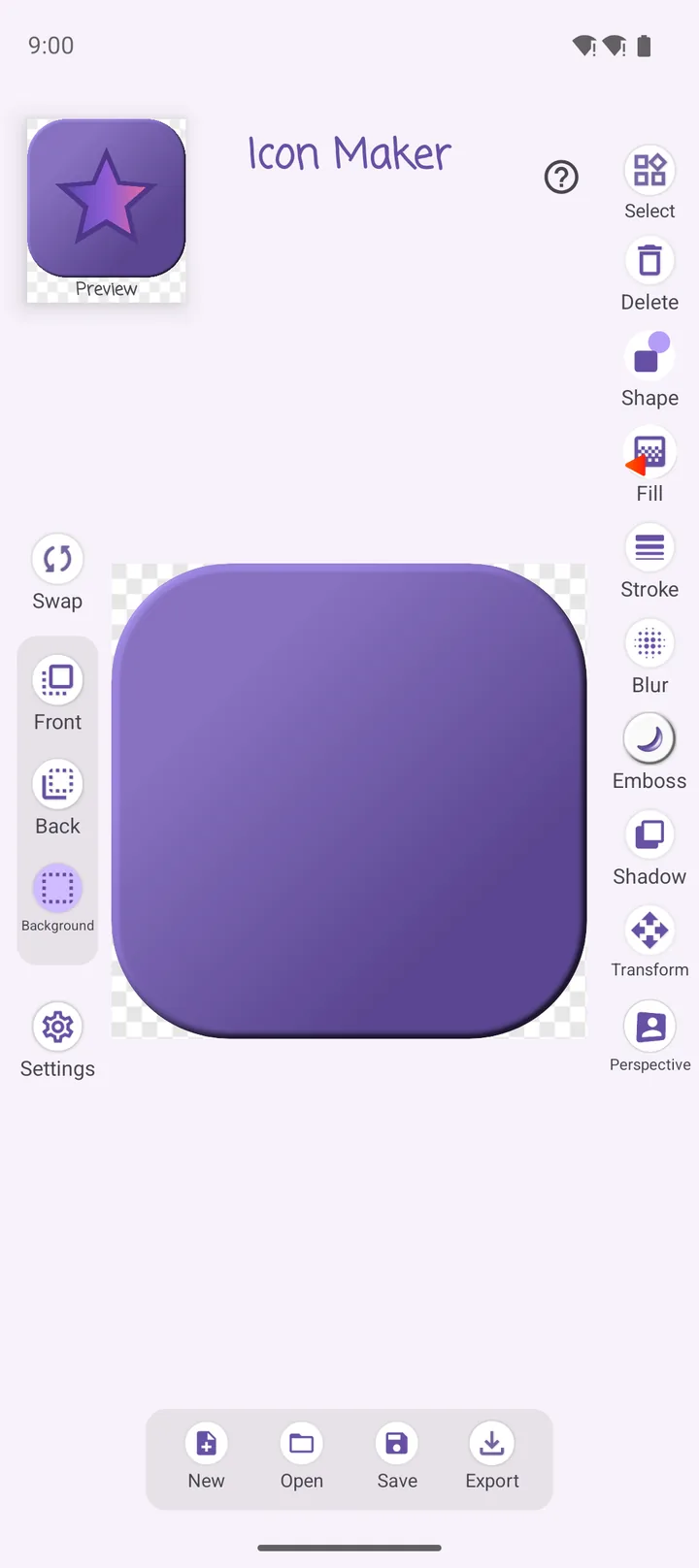
Professional design tools overwhelm you from the first screen. Icon Maker cuts it down to three layers. Choose Front · Back · Background on the left, and the tools on the right style only that layer.
- Each layer keeps its own style — a gradient background with a solid icon and a shadow
- Top-left preview at real icon size; Swap exchanges front and back
- New · Open · Save · Export — keep editing a design later
Content
Thousands of icons,
letters, even your photos
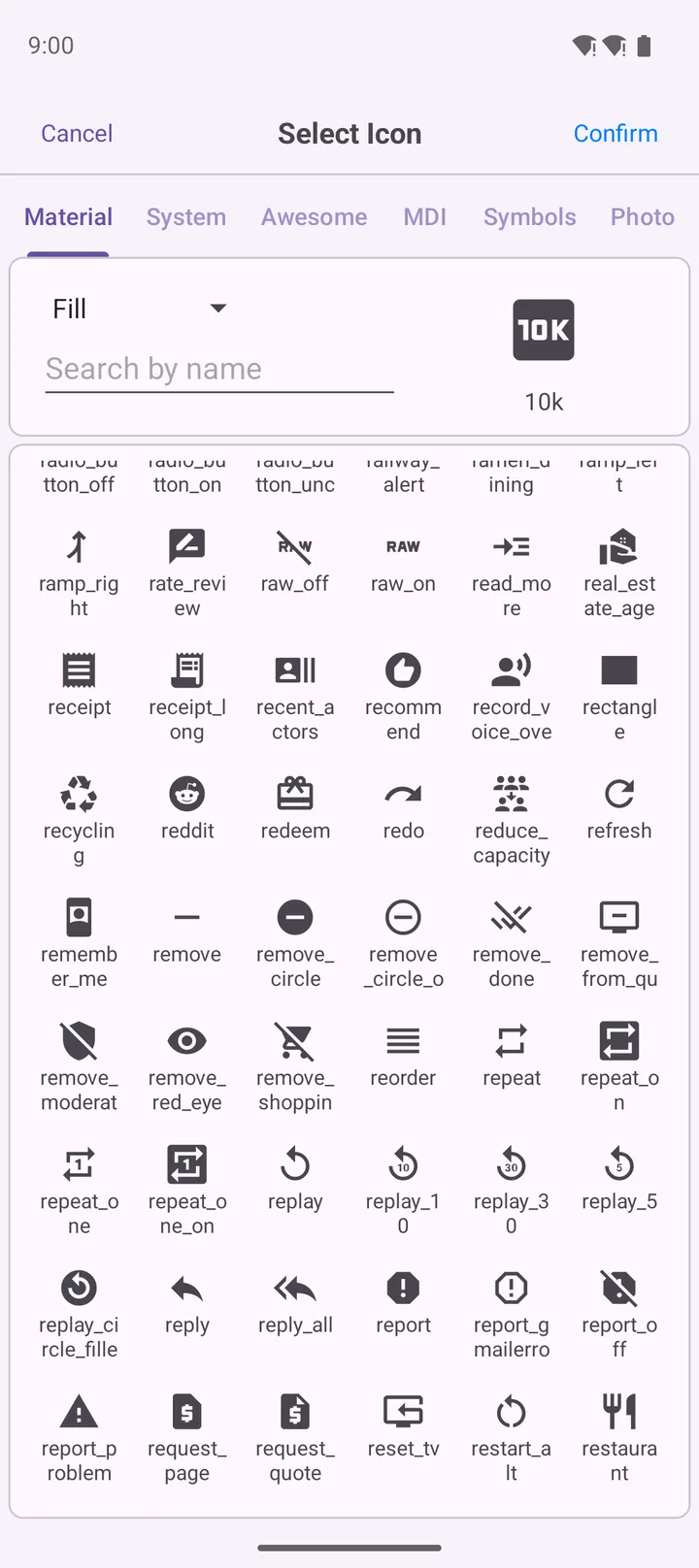
Layer content is organized in tabs, and you can search icons by name. Tap an empty layer to open the picker right away.
- Material Icons · Font Awesome · MDI · Material Symbols — thousands of open-source glyphs
- System — letters or initials in your device fonts for a logo look
- Photo — from your gallery or samples; double-tap for position, size, Fit or Fill
Fill · Shape
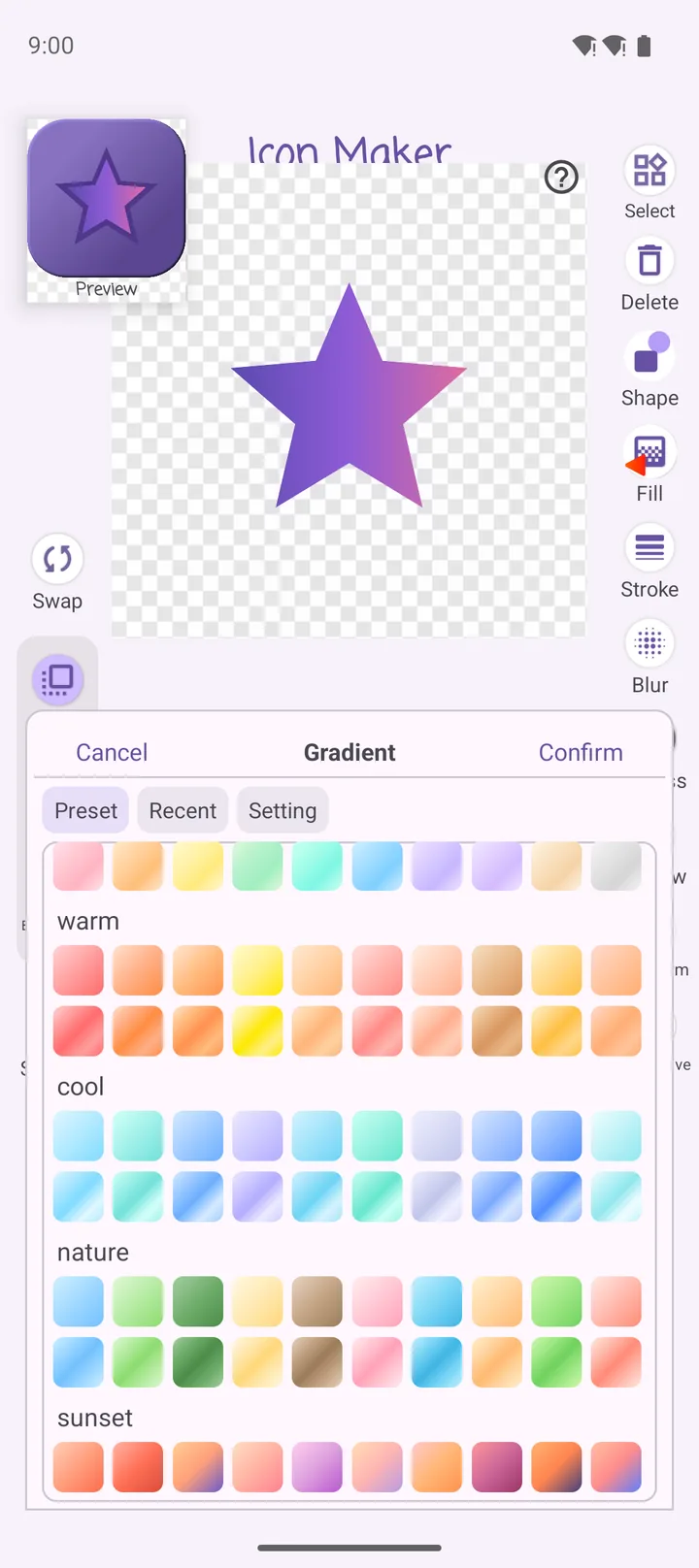
Solid, gradient, photo,
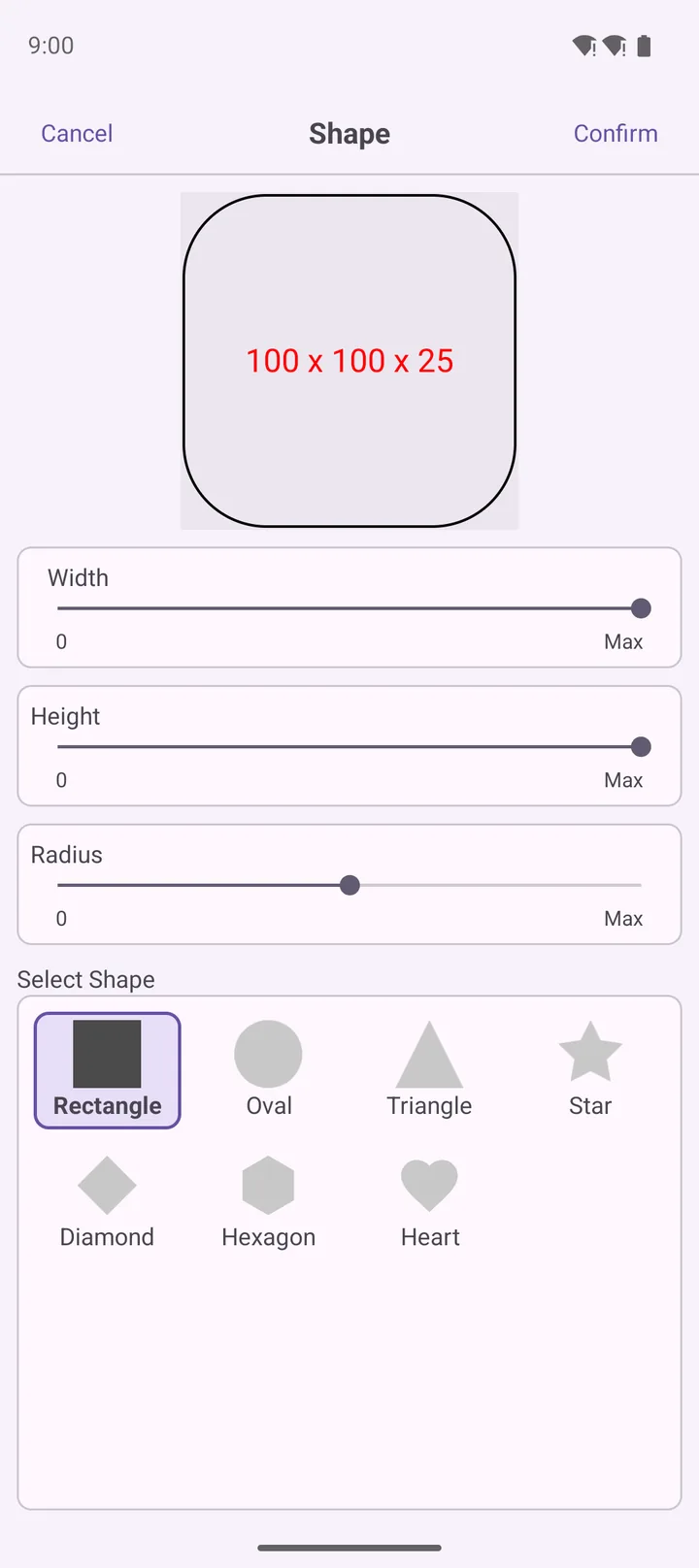
and the shape you want
Changes show up on the canvas instantly, so you pick while looking at the result. Set the base shape and size with sliders.
- Gradient — linear, radial, sweep; presets like warm, cool, nature, sunset
- Rectangle · oval · triangle · star · diamond · hexagon · heart — a squircle or rounded square is one radius away
- Transform to move, rotate, scale, skew; Perspective for a tilted 3D look
Style ideas
Not sure about colors?
See variations on one board
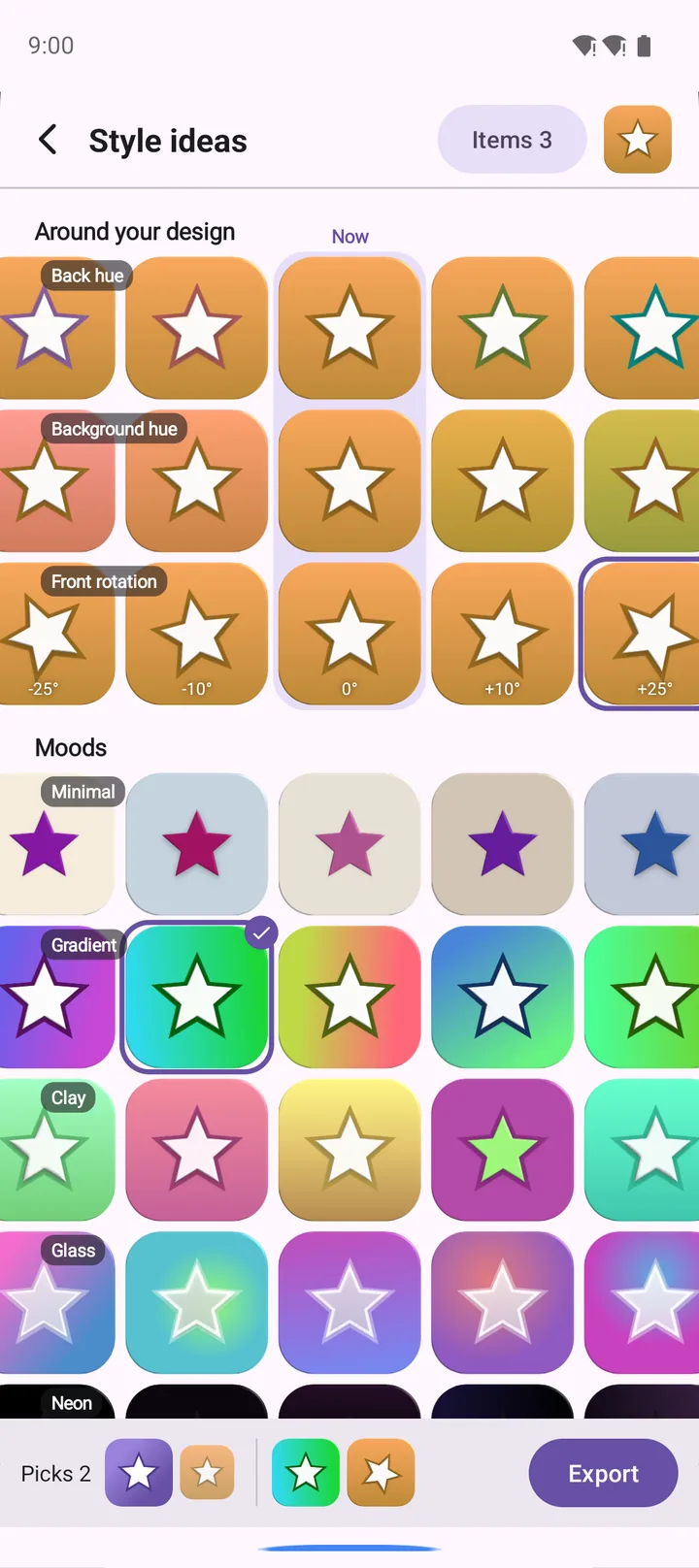
Instead of tweaking the same design over and over, tap Style ideas and a board of variation cards built from your current design appears.
- Around your design — back hue, background hue or front rotation, one change at a time
- Moods — Minimal, Gradient, Clay, Glass, Neon, Luxe, Pastel
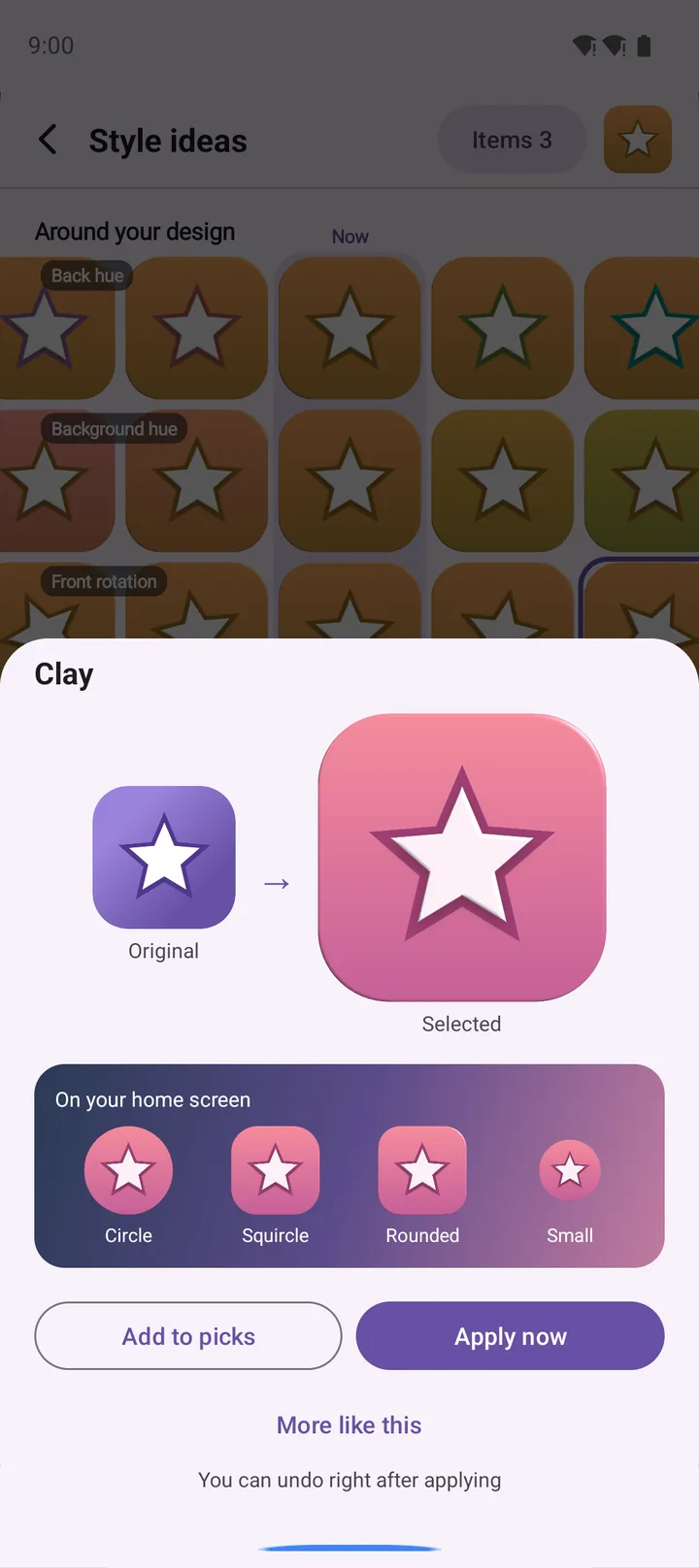
- Compare side by side and preview home screen shapes (Circle · Squircle · Rounded · Small)
Export
Every size you need,
in one go
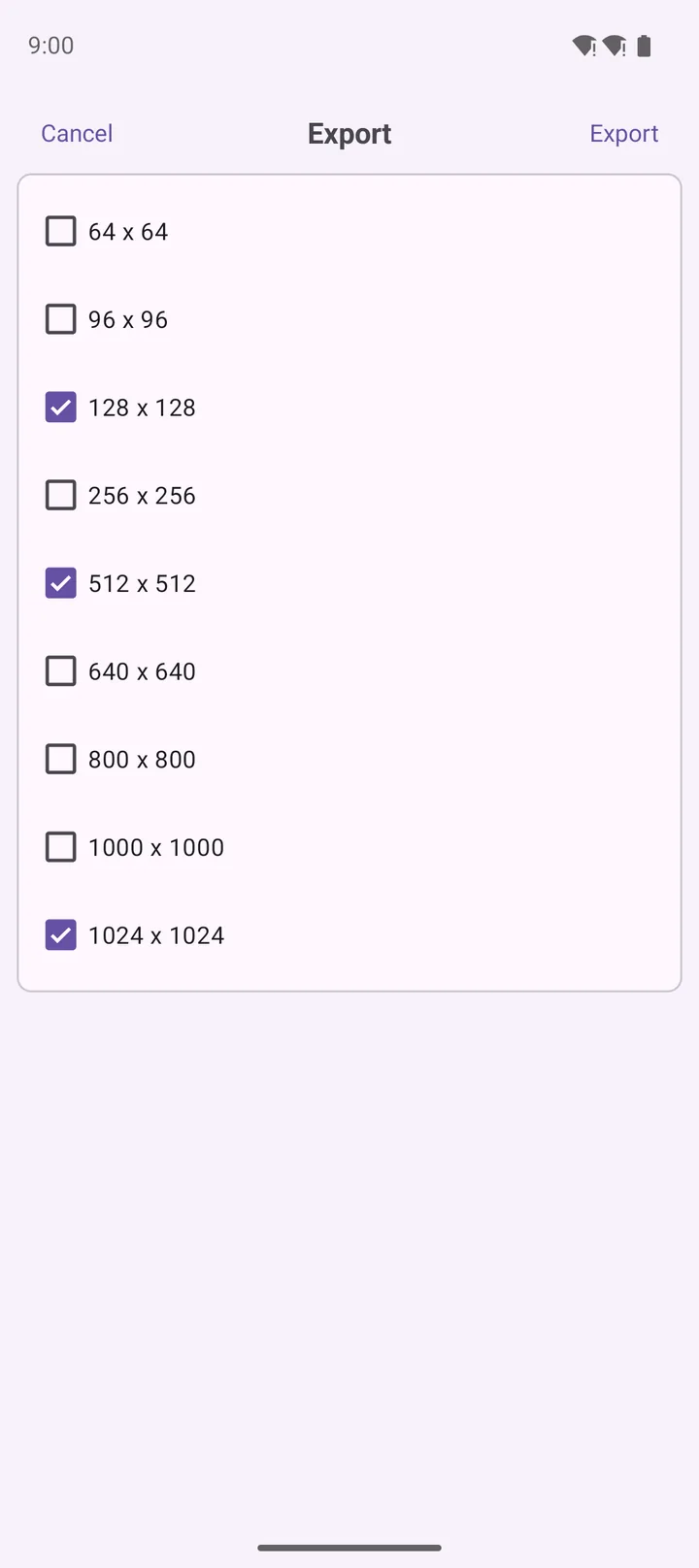
Finished icons are saved as transparent PNG files, without resizing each by hand.
- Check sizes from 64 × 64 up to 1024 × 1024
- 1024 for the store, 512 for the launcher, 64 for a favicon — all at once
- Export several Picks from Style ideas together
See all features Effects · Fill details · Style ideas · Dark mode · Who it's for
Blur · Emboss · Shadow
- Blur — soft, natural blur
- Emboss — drag the light direction on a dial, then tune intensity and height for a raised look
- Shadow — fine control over position, color and blur radius
Fill and editing details
- Solid — color picker or recently used colors
- Gradient — set start/end points and color stops yourself
- Photo — fill the icon shape with a picture · Stroke — outline color and thickness
- First launch starts with a sample icon and a quick guide
Style ideas · Dark mode
- The middle column is your current design
- Apply now can be undone right away; More like this explores closer variations
- Add favorites to Picks
- Built on Material Design, follows system dark mode — check how icon colors read on dark
Who it's for
- App developers — a custom app icon quickly before launch
- Designers — prototype ideas and experiment with color and style
- Everyone — personal profile icons and social media images
- Small businesses and brand makers — simple logos and stickers
Privacy
- No sign-up, no login. Open the app and start making
- Your designs and chosen photos stay on your device — nothing is uploaded
- The network is used only to show ads and to fetch the sample photo list
- Ads: the app is free and uses Google AdMob. The AdMob SDK sends the advertising ID and impression/click data to Google.
Icon licenses
- Material Icons — Apache License 2.0
- Font Awesome Free — SIL OFL 1.1
- MDI / Material Symbols
- Full details in the in-app license screen
App info
- Android
- English / Korean
- Free (contains ads, no in-app purchases)
Your own icon, in three layers
No sign-up — open the app and start making.
Free · Contains ads · No in-app purchases · Android · English / Korean