

Korea Traffic CCTV
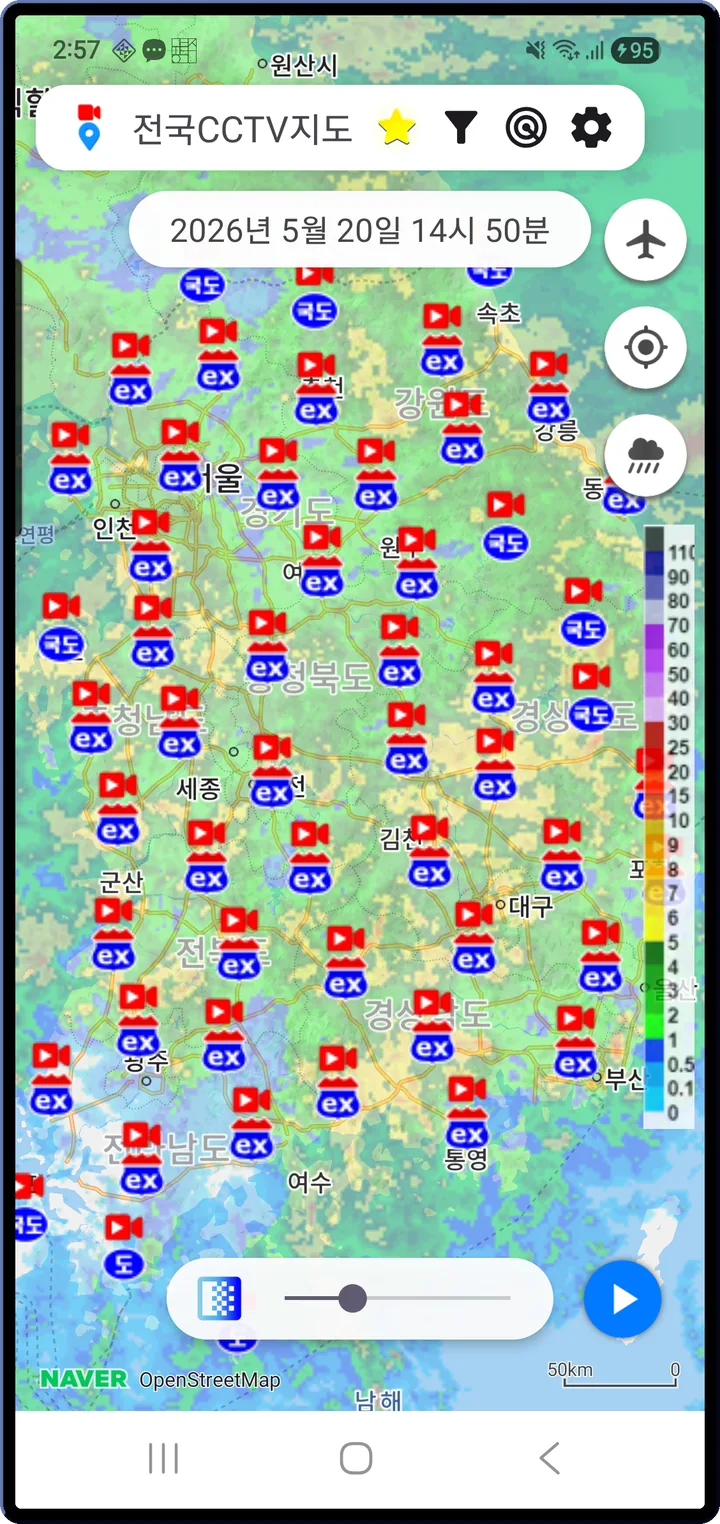
Watch live road cameras across Korea — expressways, national highways, and city streets — on a single map, with rain and snow radar layered on top.


- No sign-up
- Android 8.0 or later
- English · Korean
- Dark mode
Map
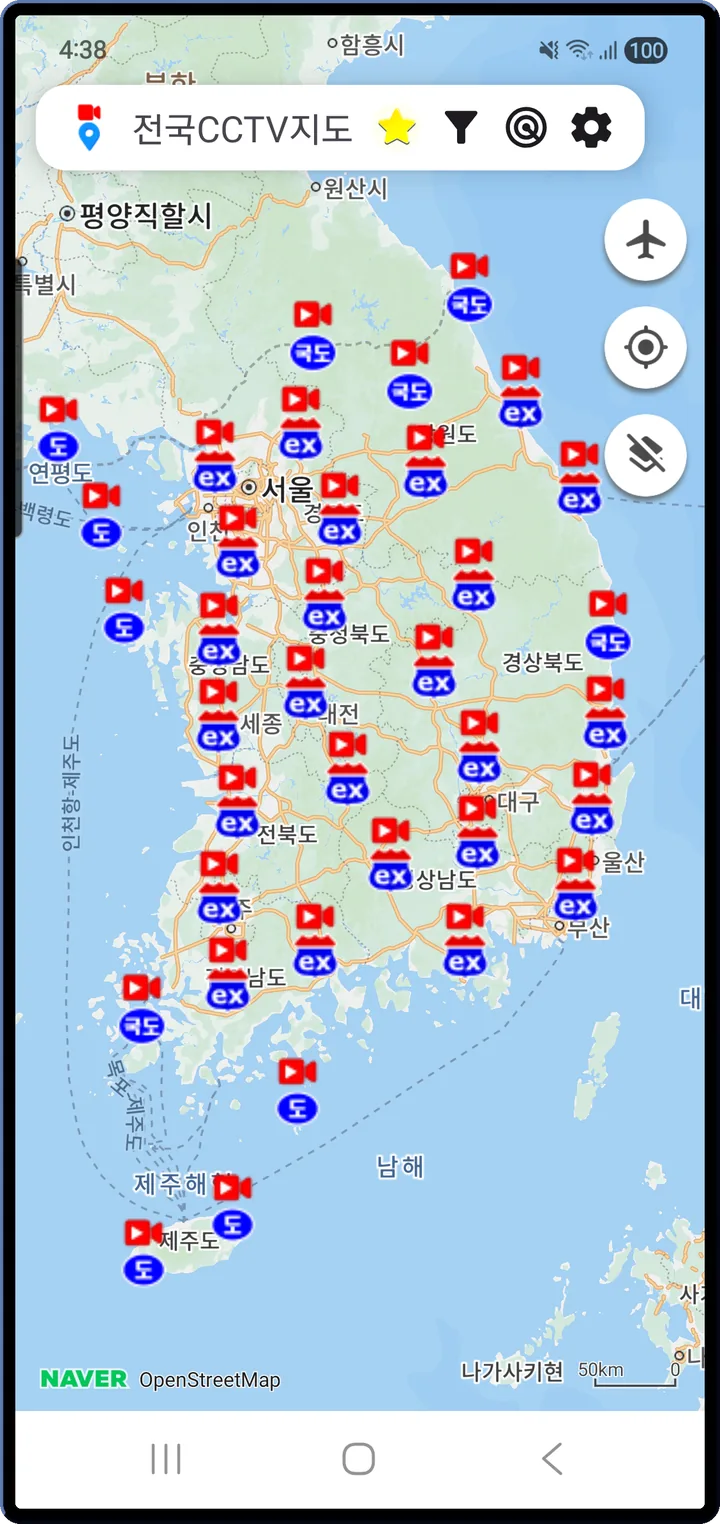
Every camera in Korea,
on one map
Expressway cameras are run by the Korea Expressway Corporation, national highways by MOLIT's ITS, and city streets by each municipality. Cameras from the National Police UTIC, MOLIT's ITS, and the Seoul, Gyeonggi, Busan, Daegu, and Jeju open APIs are merged into one map.
- Expressway · National highway · Urban motorway · Regular road, each with its own color and icon
- Markers cluster and thin automatically with the zoom level
- One-tap switch between satellite and standard map
Live video
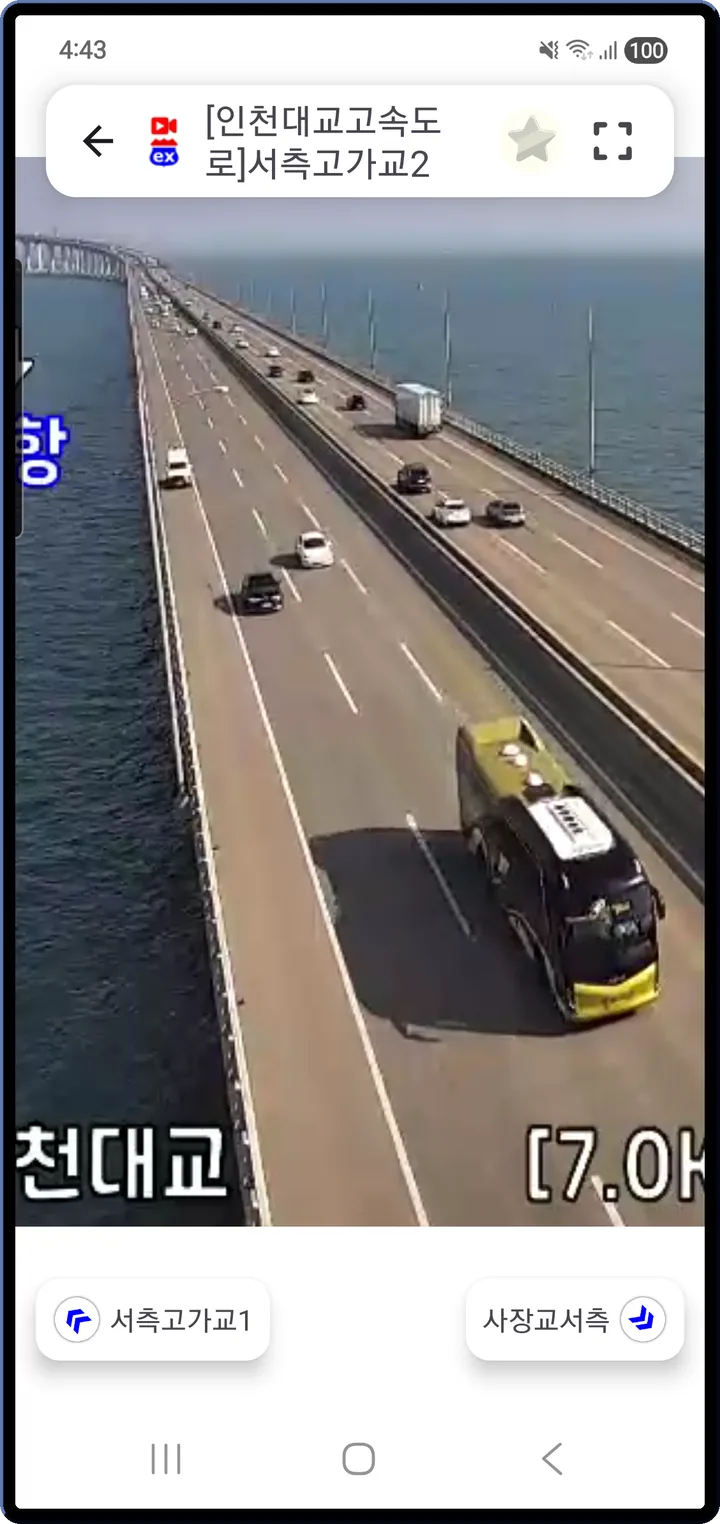
Tap a marker,
watch it live
Tap any marker and live video starts instantly. No external browser, no separate player — it streams inside the app.
- HLS streams — 5–10 minutes behind real time
- Pinch zoom, drag, double-tap zoom to control the frame
- Left / right arrows jump to the next camera on the same road — watch along the route
Nearby
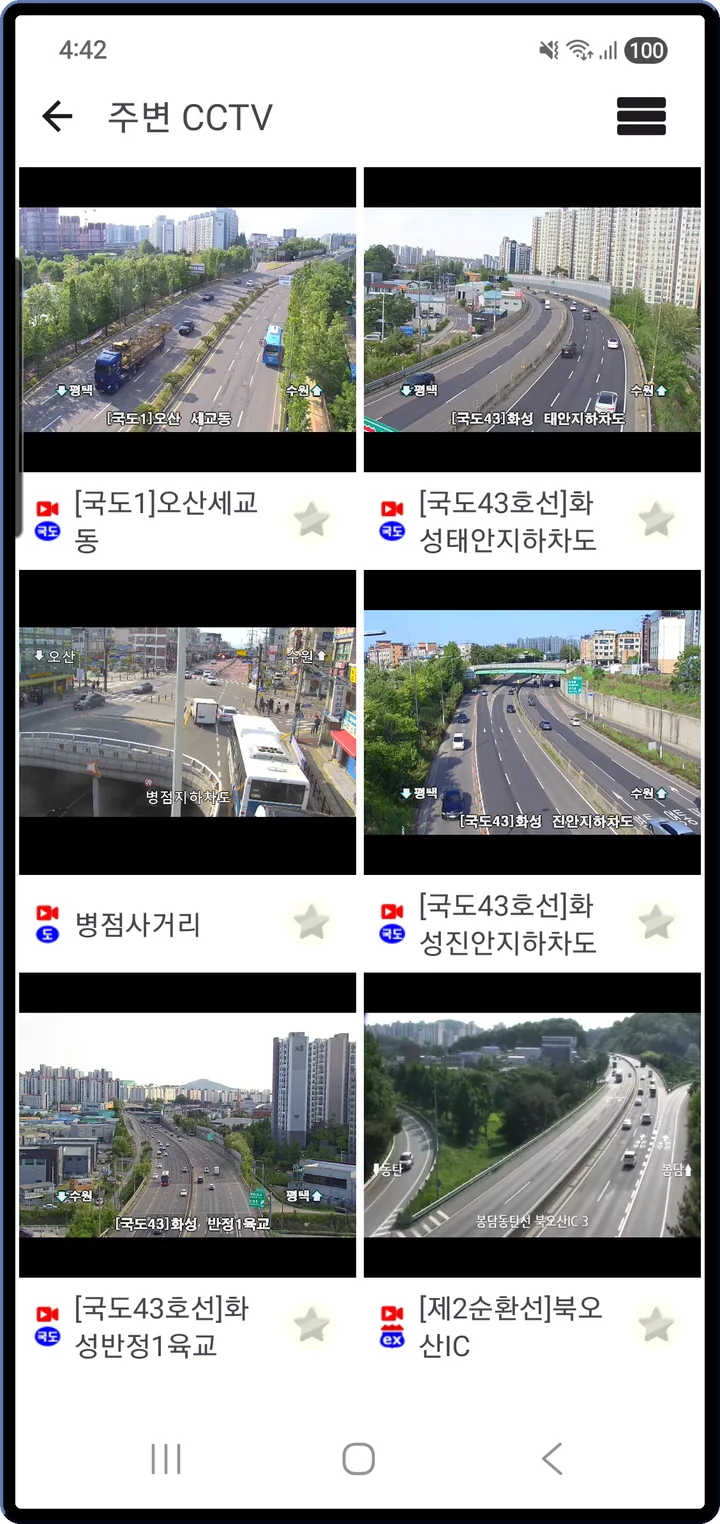
Several nearby cameras
at once
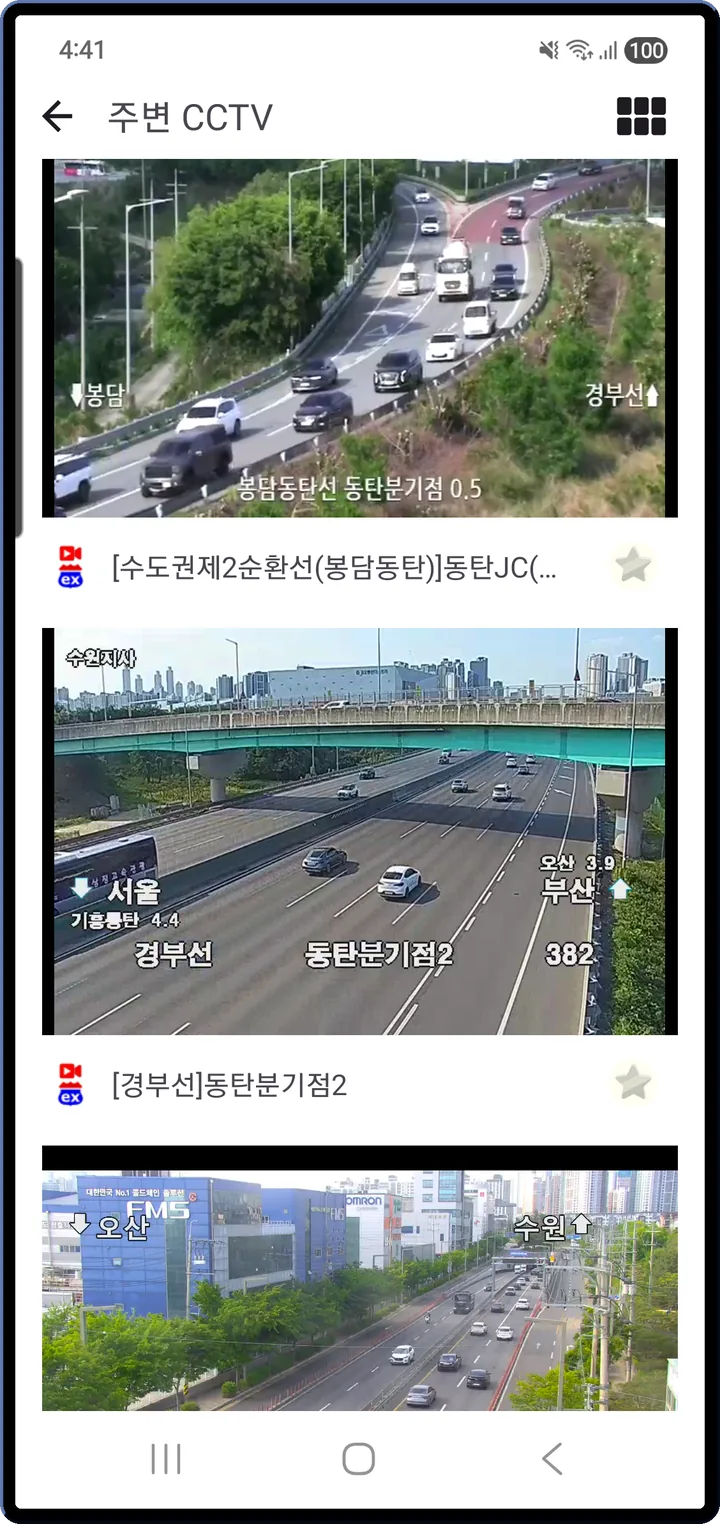
The search button at the bottom of the map streams the cameras nearest the current map center, all at the same time — handy for checking your commute route.
- 6-split grid for multi-monitor style watching
- Pinch zoom and pan on the grid; tap a cell to expand it
- Switch to list view for large videos stacked one per row
Weather radar
See where the rain
is heading over the road
The radar button on the right side of the map toggles rain or snow overlays. You see where the rain cloud is moving on top of the road cameras, so the reroute call happens right before you leave.
- Korea Meteorological Administration radar as a time-lapse animation over the map
- An opacity slider to see roads and precipitation together
- Rain / snow toggle — read storm zones at a glance
Favorites
Pin the cameras
you always watch
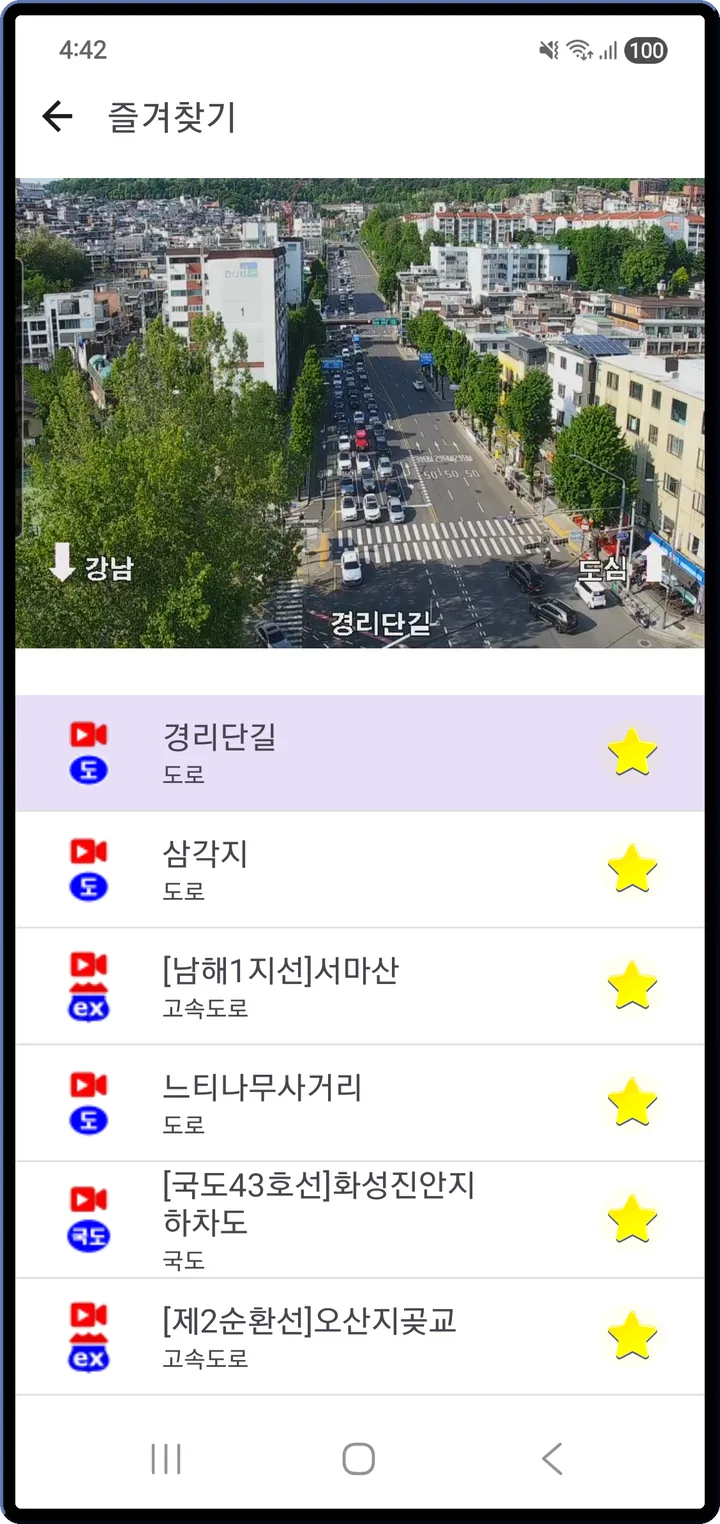
If there are cameras you check every day on your commute, tap the star once to save them.
- Tap an item and it plays live in the slot at the top
- Swipe left or right to cycle through your favorites
- If a camera ID changes, coordinate-based matching reconnects the camera at the same spot
Versus other apps
What makes it different
Versus MOLIT's ITS app
Beyond the expressways
ITS focuses on expressways and national highways. Korea Traffic CCTV merges UTIC + ITS + 5 municipal sources + fixed cameras into one map.
Versus municipal CCTV sites
Authentication, out of sight
Each site has its own login and auth, and city-street cameras are scattered. The app's own proxy server (campx.boolint.com) plus Cloudflare caching handle the authentication invisibly.
Versus opening radar separately
One screen, one decision
Rain and snow distribution overlays on the same screen as the road video, so reroute decisions happen in one glance.
See all features Filters · Fixed cameras · Map & theme · Merged sources
Filter by road type and road name
- Step 1 — road type: expressway / national highway / regular road
- Step 2 — road name: specific routes like Gyeongbu, Donghae, Seohaean
- Select all / Clear all for a quick reset
- e.g. "Gyeongbu Expressway only" shows just the cameras along that route
Fixed-camera info
- Fixed cameras without traffic video on the same map — school zones, neighborhood safety, traffic and parking enforcement, school grounds, disaster monitoring, railroads — each with a purpose-specific icon
- Operating agency · phone number (tap to dial)
- Purpose · number of cameras · resolution · viewing direction · installation date
- One-tap links to Google Street View, Kakao Road View, Naver Street View
- Check camera locations around your home, or the responsible agency after an incident
Map, video and theme
- Remembers your last camera position and zoom, and reopens right there
- Rotate to landscape for automatic full-screen, back to portrait to revert
- Light / Dark / System theme
- The map itself can be light or dark independently — easier on the eyes at night
Scattered sources, one app
- Expressways, national highways and city streets each come from a different operator
- Every website has its own login, authentication, or plugin requirement
- Weather radar lives on yet another site — here it sits on the same map
- Unlike generic video viewers, adjacent-camera navigation and 6-split playback let you watch along a road
Data sources
- National Police UTIC, MOLIT ITS — road CCTV
- Seoul / Gyeonggi / Busan / Daegu / Jeju open APIs — municipal CCTV
- Korea Meteorological Administration — rain and snow radar
Privacy
- No account, no sign-in. Open the app and you're in
- Location is used only for the "My location" button and the nearby-camera search, processed on the device
- Video is streamed via public open APIs and the app's own proxy — nothing is stored on your device
- Ads disclosure: the app is free to use and includes Google AdMob ads. The AdMob SDK sends your advertising ID and impression/click events to Google.
Safety
For safety, please do not use this app while driving. Use it before departure, while parked, or have a passenger operate it.
Check the road before you go
No sign-up — tap a marker and the live video starts.
Free · Ad-supported · No in-app purchases · Android 8.0 or later · English / Korean